Meta Pixel Integration (CAPI)
이 페이지는 아직 한국어 언어로 제공되지 않습니다. 기본 언어(English)로 표시합니다.
Meta Pixel Integration (CAPI)
Meta Dataset helps you track conversions from Click to WhatsApp (CTWA) ads, such as leads and purchases, so you can improve your overall ad performance. By integrating Meta Dataset, you can connect customer interactions in Cekat with event reporting in Meta Ads Manager.
A. Creating and Connecting a Meta Dataset
- Go to Setting
Open the Setting menu, then select Meta Pixel Integration.

- Select a WhatsApp Inbox
Select the WhatsApp inbox you want to integrate, then click Setting.

- Create a Meta Dataset
If you don’t have a Meta Dataset yet, click the Buat Meta Dataset (Create Meta Dataset) button.

- View Dataset Information
Once it’s created, you’ll see a page with the Meta Dataset ID and Access Token.

- Update the Access Token
- Click your Meta Dataset ID to open the Event Manager page in Facebook Business.
- Open Event Manager
- On the Event Manager page, select the Settings tab.
- Scroll down until you find the Setup Direct Integration section.
- Generate an Access Token
- Click the Generate Access Token button, then copy the token that appears.
- Enter the Access Token in Cekat
Go back to the Meta Dataset page in Cekat and click the Edit Token button.
Paste the token you copied, then click Update.

B. Adding Event Tracking
- Click Edit Event
After the token is updated, click the Edit Event button.
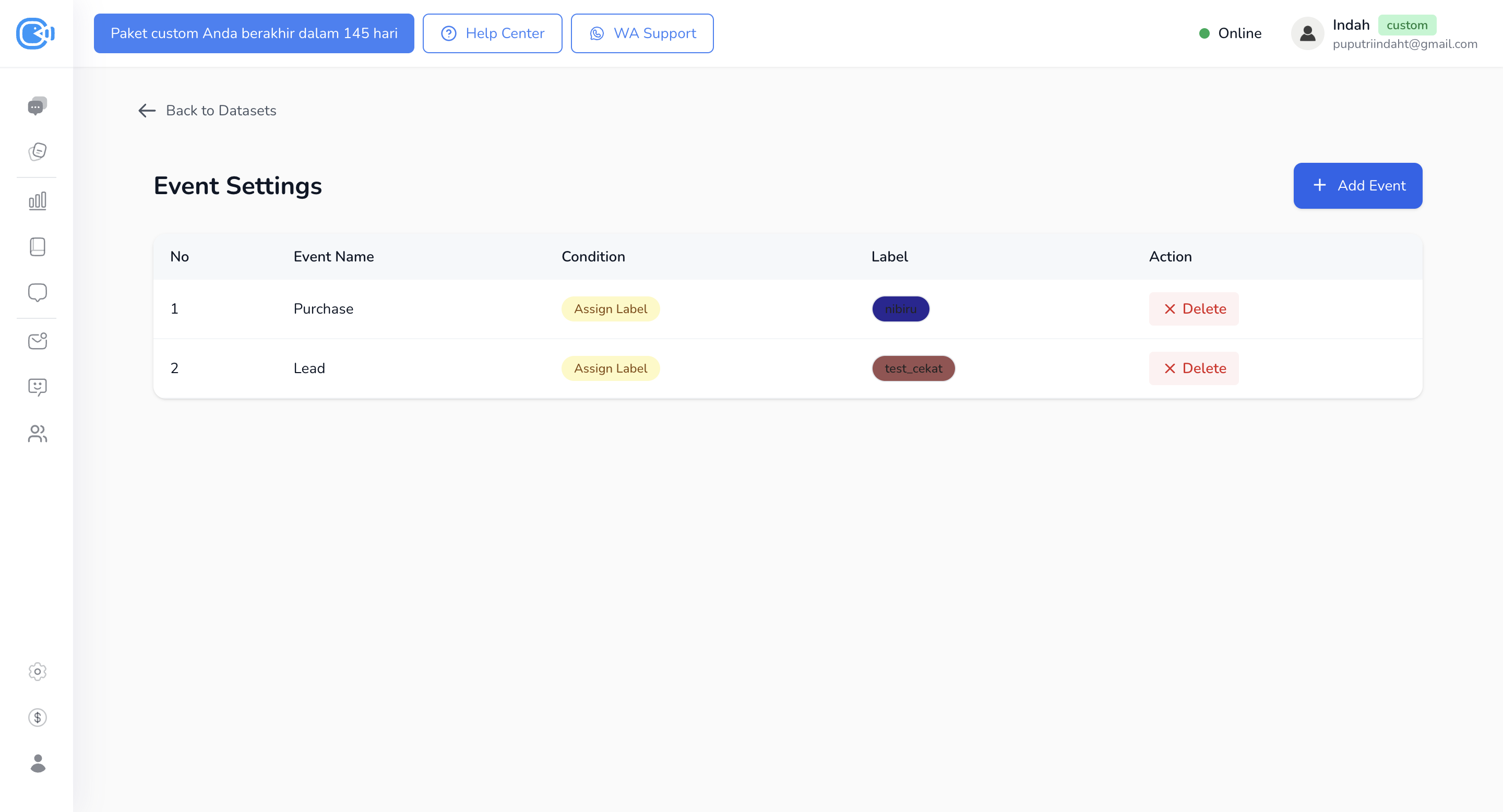
- Add a New Event
- On the event settings page, click the Add Events button.
- Choose the Event Name you need, such as: Lead, Purchase, Add to Cart, etc.
- Choose the Event Condition
- There are two types of conditions for an event:
- Create Conversation: The event is recorded when a new conversation comes in from an ad.
- Add Label: The event is recorded when a specific label is added to a conversation.
If you choose this option, you must select the specific label to use.

- There are two types of conditions for an event:
- Save the Event
- Once all settings are done, click Save.
C. Tagging Conversations for Tracking
- Add a Label to a Conversation
- While on the Conversation page, you can add a label that has been linked to a Meta Event.
- Labels that are connected to Meta have a Facebook icon on their right side.
- Enter a Price
- If the label is for a Purchase event, you need to add the price of the goods/services when adding the label
If anything is still unclear, watch the tutorial video below to see the steps in action.