Business Report Analysis
이 페이지는 아직 한국어 언어로 제공되지 않습니다. 기본 언어(English)로 표시합니다.
Business Report Analysis

Steps:
Go to the Analytics page.
Select the AI Agent tab.
Scroll down until you find the Business Report Analysis section.
Click the Generate Analytics button.
In the popup that appears, fill in the following form:
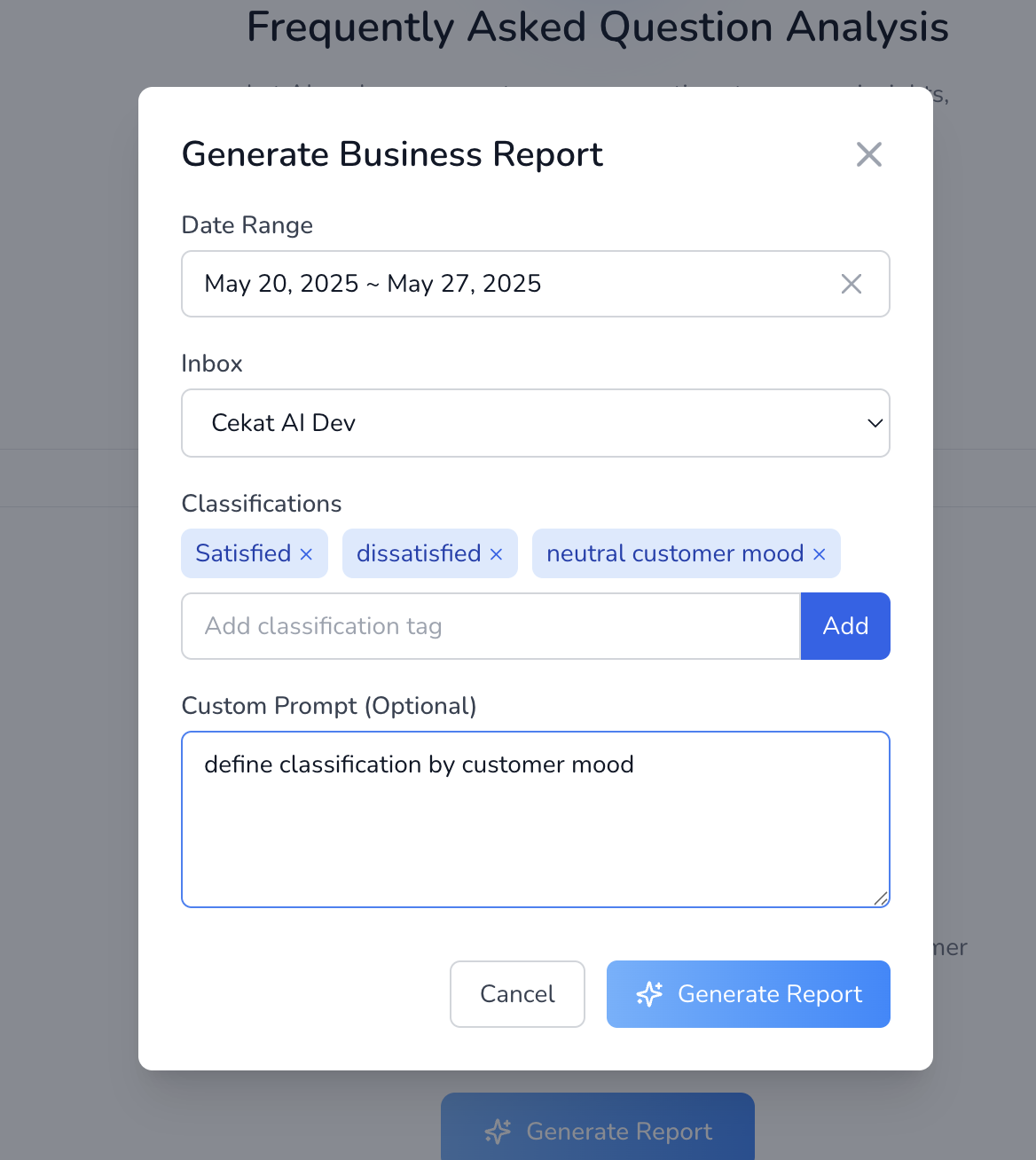
Date – Choose the time range of conversations you want to analyze.
Inbox – Choose the inbox you want to analyze.
Classification (analysis category) – Enter the words or categories you want the AI to analyze, for example:
"satisfied","dissatisfied","neutral"Custom Prompt (Optional) – Enter additional instructions for the AI, such as:
"Define classification by customer mood"
Click Generate, and the report will be created shortly based on the input you provided.
After you click Generate, the system processes the analysis results. When it’s done, click View to see the report that was created.

You can also download the report by clicking the Export button.
