Orders Page
Orders Page
このページは 日本語 ではまだ利用できません。デフォルトの言語 (English) で表示しています。
Orders Page
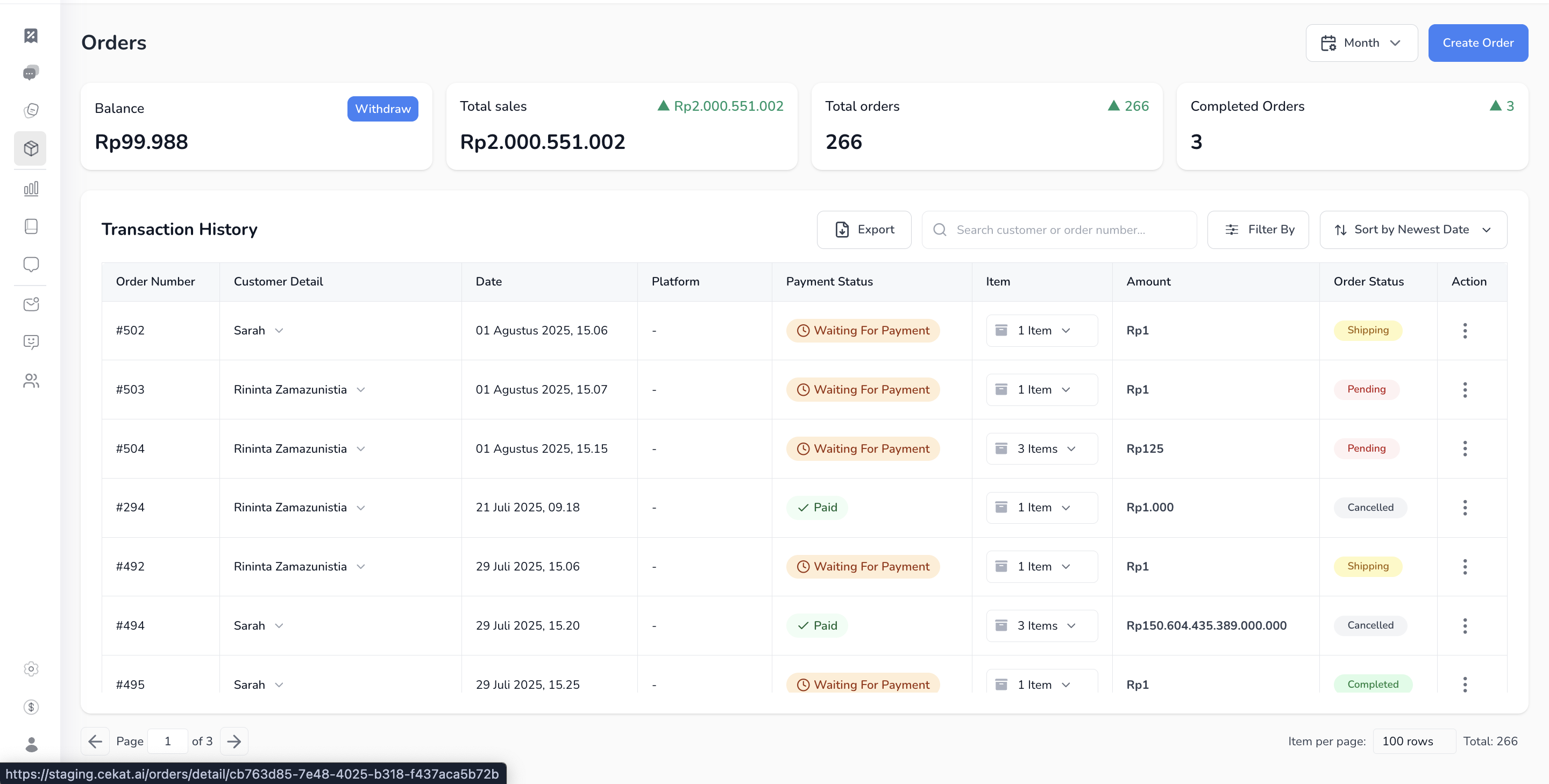
This page shows the list of transactions (order list), the balance you can withdraw, and simple sales statistics based on successful payments.
- Go to the Orders page
- Click the Balance tab at the top of the navbar.
- Elements on the Order page
- Balance: the total balance that can be withdrawn. The balance only increases from payments made through a Xendit payment link that has been successfully verified.
- Simple Analytics:
- Total Sales: the total of all successful payments in a given period
- Total Orders: the total number of orders ever created
- Completed Orders: the number of orders that are completed
- Transaction History : a list of all orders you’ve created, along with their status and data details.
- Order Number: the unique ID of each order
- Customer Detail: the customer’s name and contact number
- Date: when the order was created
- Platform: the platform the order came from (if the order was created through a conversation)
- Payment Status: payment status such as Waiting for Payment, Paid, pending
- Item: the number of items in the order
- Amount: the total order amount
- Order Status: status such as Pending, Completed, Shipping, Cancelled
- Action: more options to view details or edit
- Additional functions in Transaction History
Search: search by customer name or order number
Filter: filter by status, date, and more
Sort: sort data by newest, oldest, and so on
Export: 3 options are available:
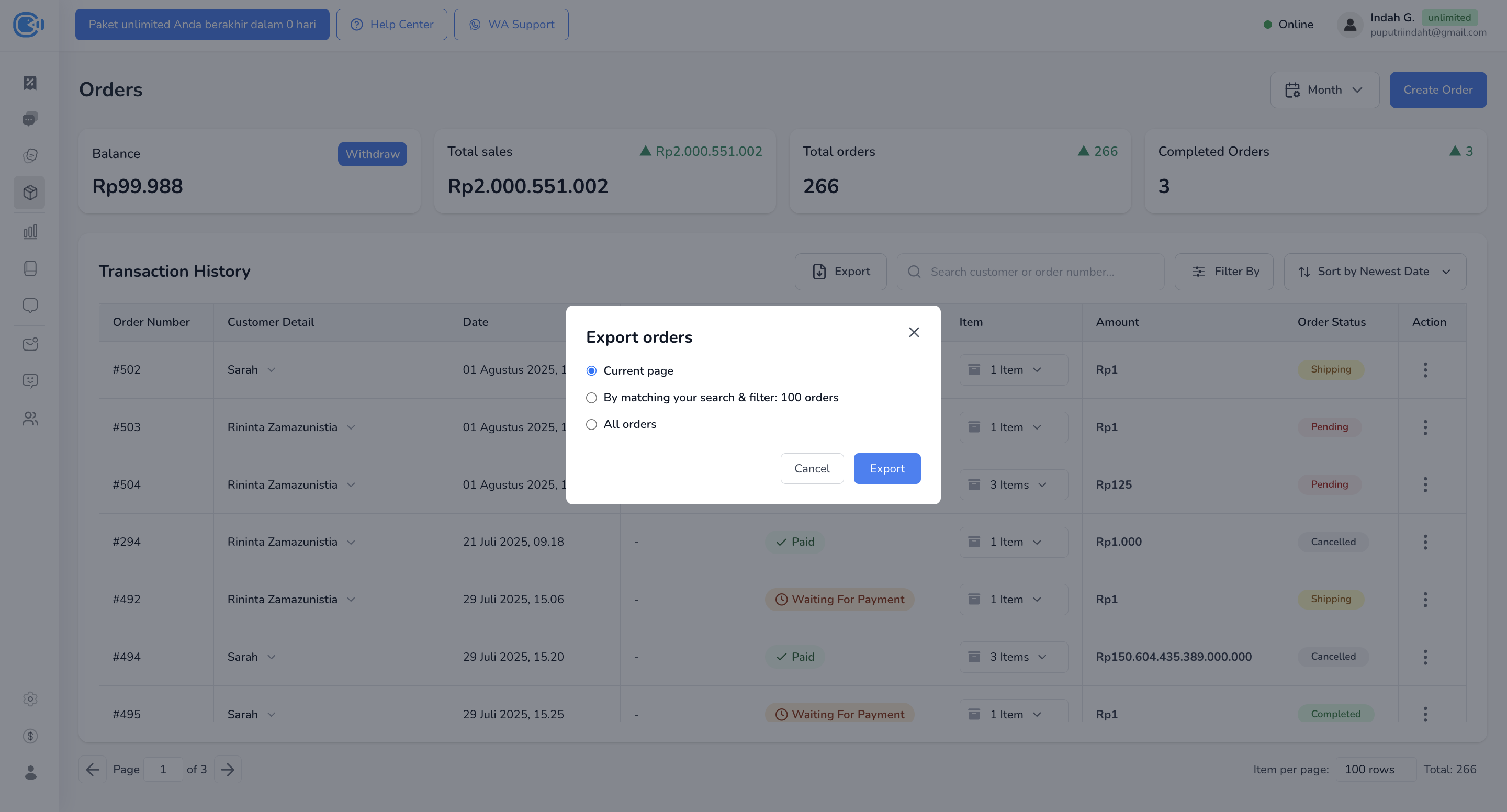
- Current Page: export only what’s shown on the page
- By Matching Search & Filter: export the active search/filter results
- All Orders: export all order data