> For the complete documentation index, see [llms.txt](https://docs.cekat.ai/llms.txt). Markdown versions of documentation pages are available by appending `.md` to page URLs; this page is available as [Markdown](https://docs.cekat.ai/order/orders-page.md).
# Orders Page
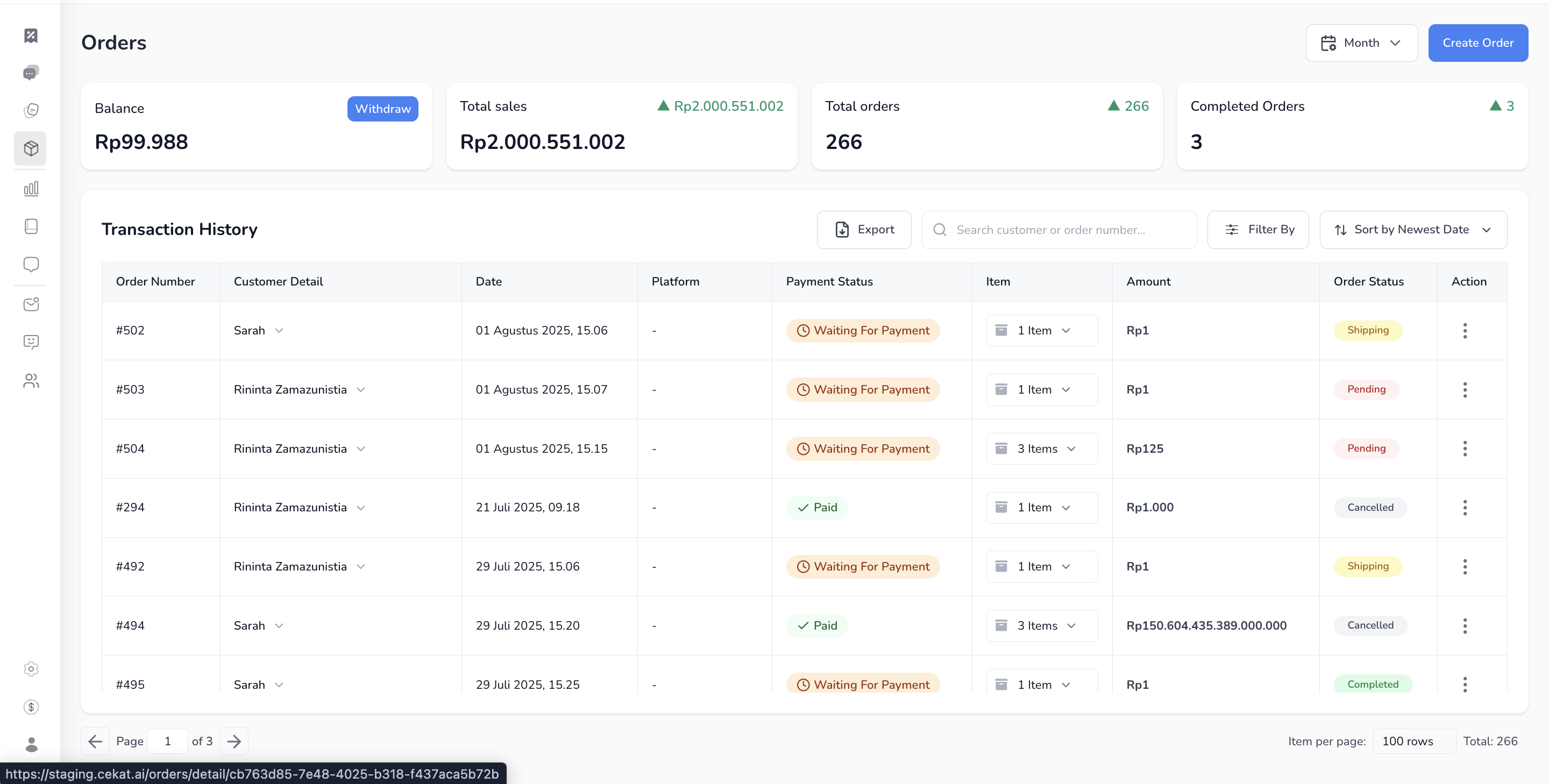
Halaman ini menampilkan daftar transaksi (order list), balance yang bisa di-withdraw, serta statistik penjualan sederhana berdasarkan pembayaran sukses.
1. **Masuk ke halaman Orders**
* Klik tab **Balance** yang ada di bagian atas navbar.
2. **Elemen-elemen di halaman Order**
* **Balance**: total saldo yang dapat di-withdraw. Balance hanya akan bertambah dari pembayaran melalui **payment link Xendit** yang sudah berhasil diverifikasi.
* **Simple Analytics**:
* **Total Sales**: jumlah seluruh pembayaran sukses dalam periode tertentu
* **Total Orders**: jumlah seluruh order yang pernah dibuat
* **Completed Orders**: jumlah order yang sudah selesai
3. **Transaction History :** daftar semua order yang kamu buat, beserta detail status dan datanya.
* **Order Number**: ID unik setiap order
* **Customer Detail**: nama customer dan nomor kontak
* **Date**: waktu order dibuat
* **Platform**: platform asal order (jika ada order dibuat melaui conversation)
* **Payment Status**: status pembayaran seperti *Waiting for Payment*, *Paid, pending*
* **Item**: jumlah item dalam order
* **Amount**: nominal total order
* **Order Status**: status seperti *Pending*, *Completed*, *Shipping*, *Cancelled*
* **Action**: opsi lanjutan untuk melihat detail atau edit
4. **Fungsi tambahan pada Transaction History**
* **Search**: cari berdasarkan nama customer atau nomor order
* **Filter**: filter berdasarkan status, tanggal, dll
* **Sort**: urutkan data berdasarkan tanggal terbaru, terlama, dsb
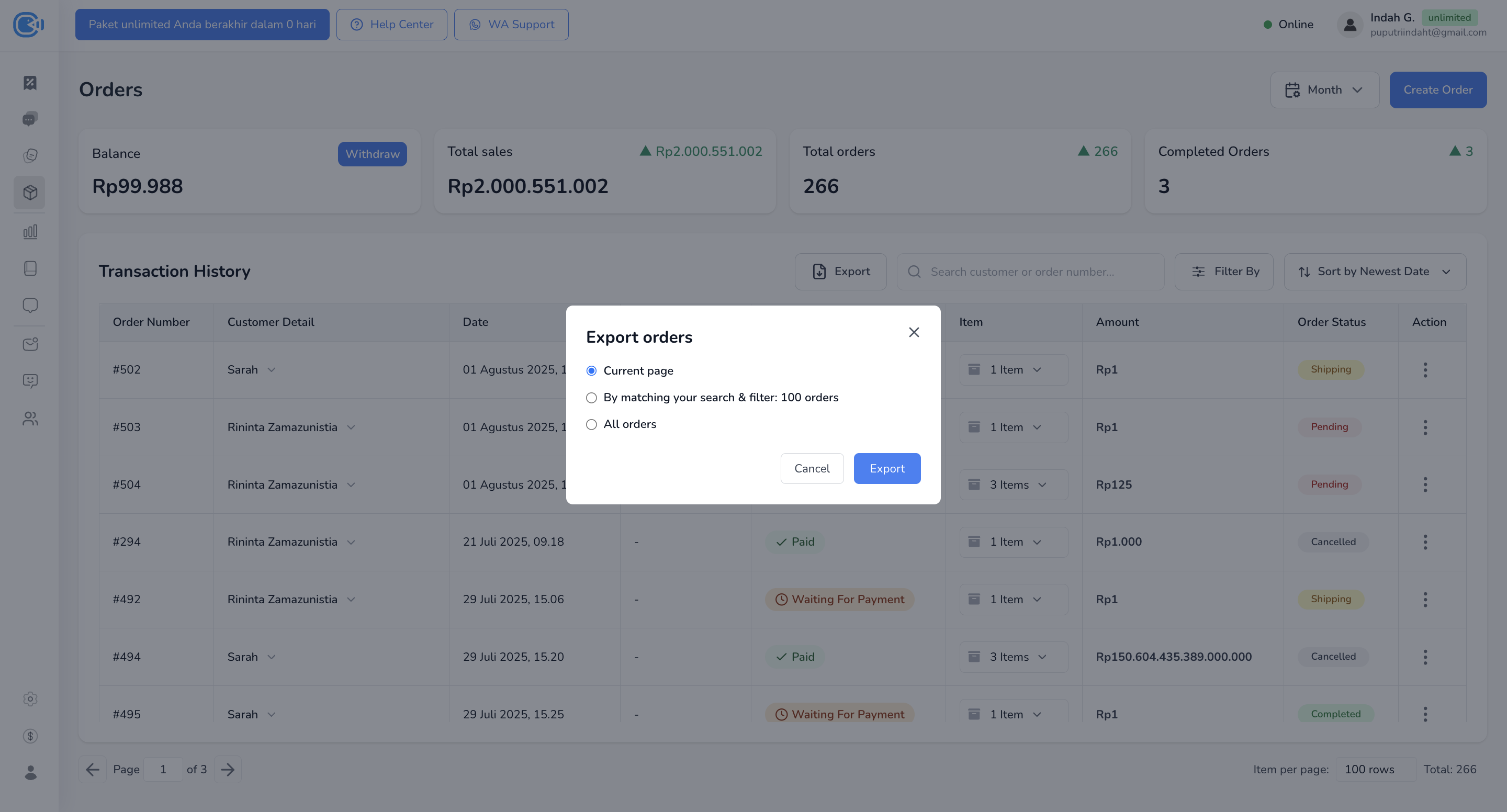
* **Export**: tersedia 3 opsi:
* *Current Page*: ekspor hanya yang tampil di halaman
* *By Matching Search & Filter*: ekspor hasil pencarian/filter aktif
* *All Orders*: ekspor seluruh data order