Telegram Secretary Mode
此页面暂无中文版本。显示默认语言(English)。
Telegram Secretary Mode
Telegram Secretary Mode extends Telegram Inbox so that customer chats with your business’s Telegram account also come into Cekat.AI, not just chats with the bot. Your team can read and reply to those chats from Cekat.AI, and the AI Agent on the same inbox answers them too.
No setup in Cekat.AI. The bot, token, and inbox stay the same. Everything is connected in Telegram, and Cekat.AI receives it automatically.
What Is Telegram Secretary Mode
Secretary Mode is a Telegram feature, part of Telegram Business and also known as Business Bots. With it, a bot can be connected to a Telegram account, receive that account’s incoming messages, and reply on behalf of the account owner as long as the owner allows it.
Without Secretary Mode, customers who write to the business Telegram account are answered only from the phone of the owner and staff, so there is no assignment and no history in the inbox. With Secretary Mode, those chats come into the Telegram inbox in Cekat.AI and are handled like any other chat.
| Chat with the bot | Chat with a Telegram account (Secretary Mode) | |
|---|---|---|
| Customer writes to | The bot | The business Telegram account connected to the bot |
| Replies are sent from | The bot | That Telegram account, on behalf of the account owner |
| Inbox | Bot inbox | The same bot inbox |
| AI Agent | Runs | Runs |
One bot can be connected by many Telegram accounts, and chats from all of those accounts come into one bot inbox. Chats with the bot itself do not change.
Setup on the Telegram Side
Before You Start
- A Telegram bot already connected to Cekat.AI through Telegram Inbox
- Access to @BotFather for that bot
- The business Telegram account to connect. The account requirements for this feature are set by Telegram.
Enabling Secretary Mode in BotFather
- Open @BotFather in Telegram, then send
/mybots. - Select the bot that is already connected to Cekat.AI.
- Select Bot Settings, then Secretary Mode.
- Turn on Secretary Mode.
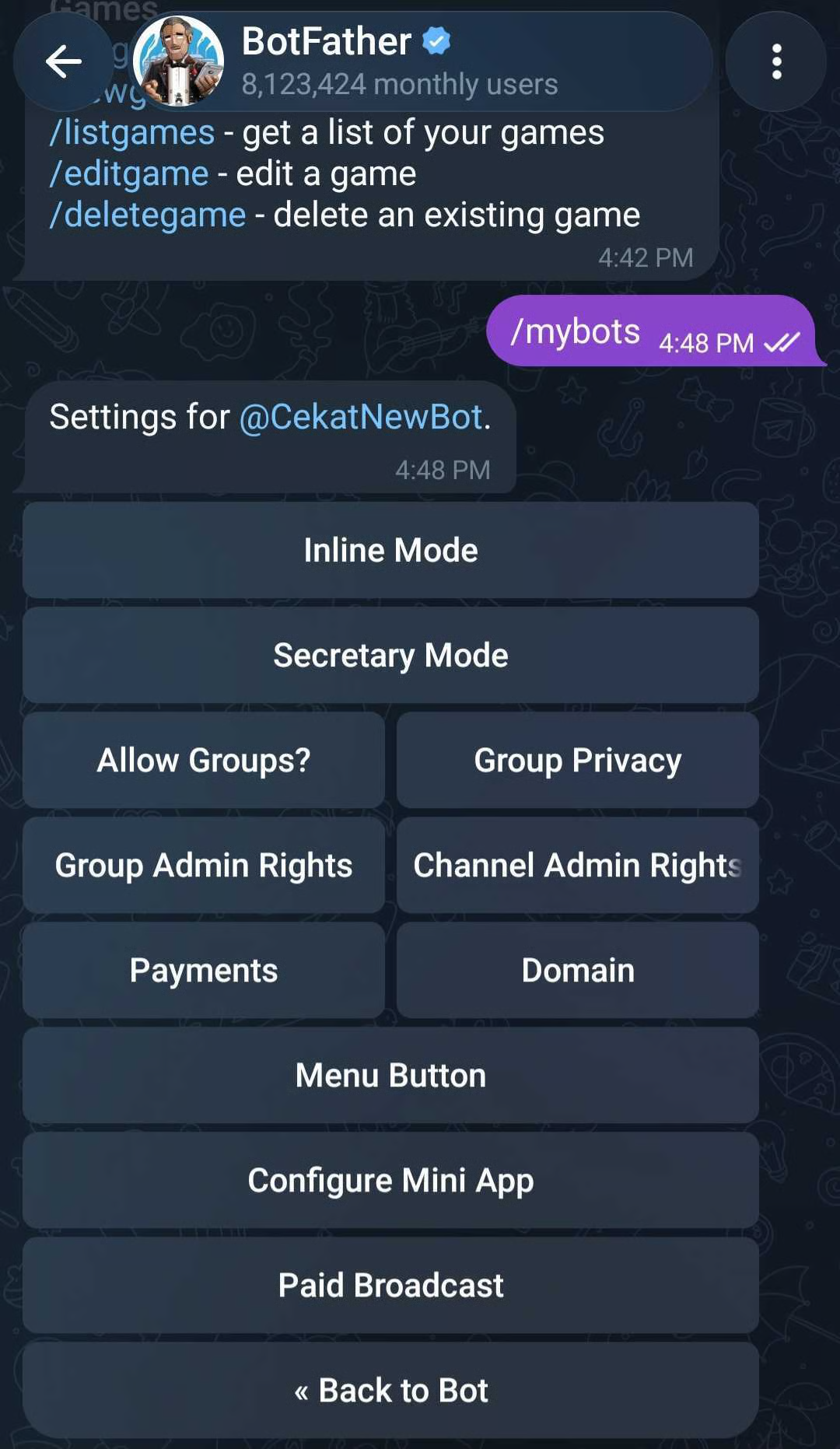
Adding the Bot to the Business Telegram Account
- Open Telegram with the business account you want to connect.
- Open Settings > Telegram Business > Chatbots.
- Enter the bot’s username or link, for example
@TokoSayaBot, then add it. - Choose which chats the bot can access: All 1-to-1 Chats or Only Selected Chats.
- In the bot’s permissions, turn on Reply to messages. Without this permission, chats can only be read in Cekat.AI and cannot be replied to.
- Save the settings.
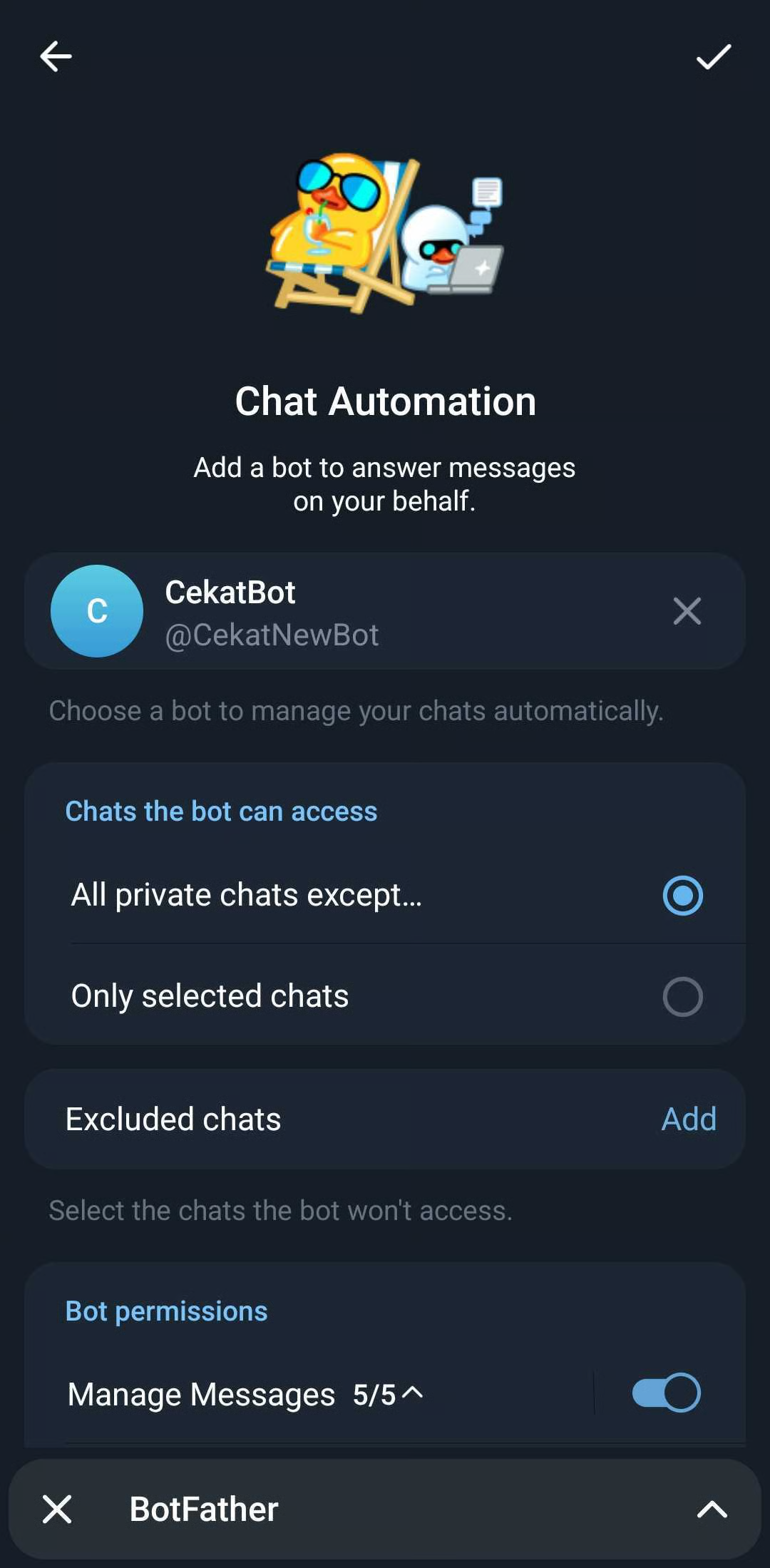
A short while after the bot is added, customer chats on that account start coming into the Telegram inbox in Cekat.AI. Other permissions available in Telegram are not used by Cekat.AI.
The account owner stays in control of the settings. The account owner can remove the bot, change the bot’s permissions, or pause or disconnect a single chat at any time from Telegram. Cekat.AI follows those changes, as explained in the access changes section.
Telegram Documentation
- Introducing Telegram Business: an introduction to Telegram Business features, including chatbots that reply on behalf of the account.
- Business Bots: an explanation of Business Bots for bots, including the permissions an account can grant.
- Connected business bots: how a bot’s connection to an account works, including the limit of one chatbot per account.
Handling in Cekat.AI
One Bot, One Inbox
Chats from connected accounts come into the existing bot inbox. There is no new inbox, and all chats still count as one inbox on the plan. These chats use the bot inbox’s settings, namely Teams, Human Agent, Chat Distribution Method, and AI Agent, so they are distributed to agents the same way as regular bot chats.
Every Secretary Mode chat is labeled bot name - account name, for example Bot - Rafi Fajar, and carries a Secretary marker. This label appears in the Conversation List, the chat header, and the right panel. Regular bot chats show only the bot name.
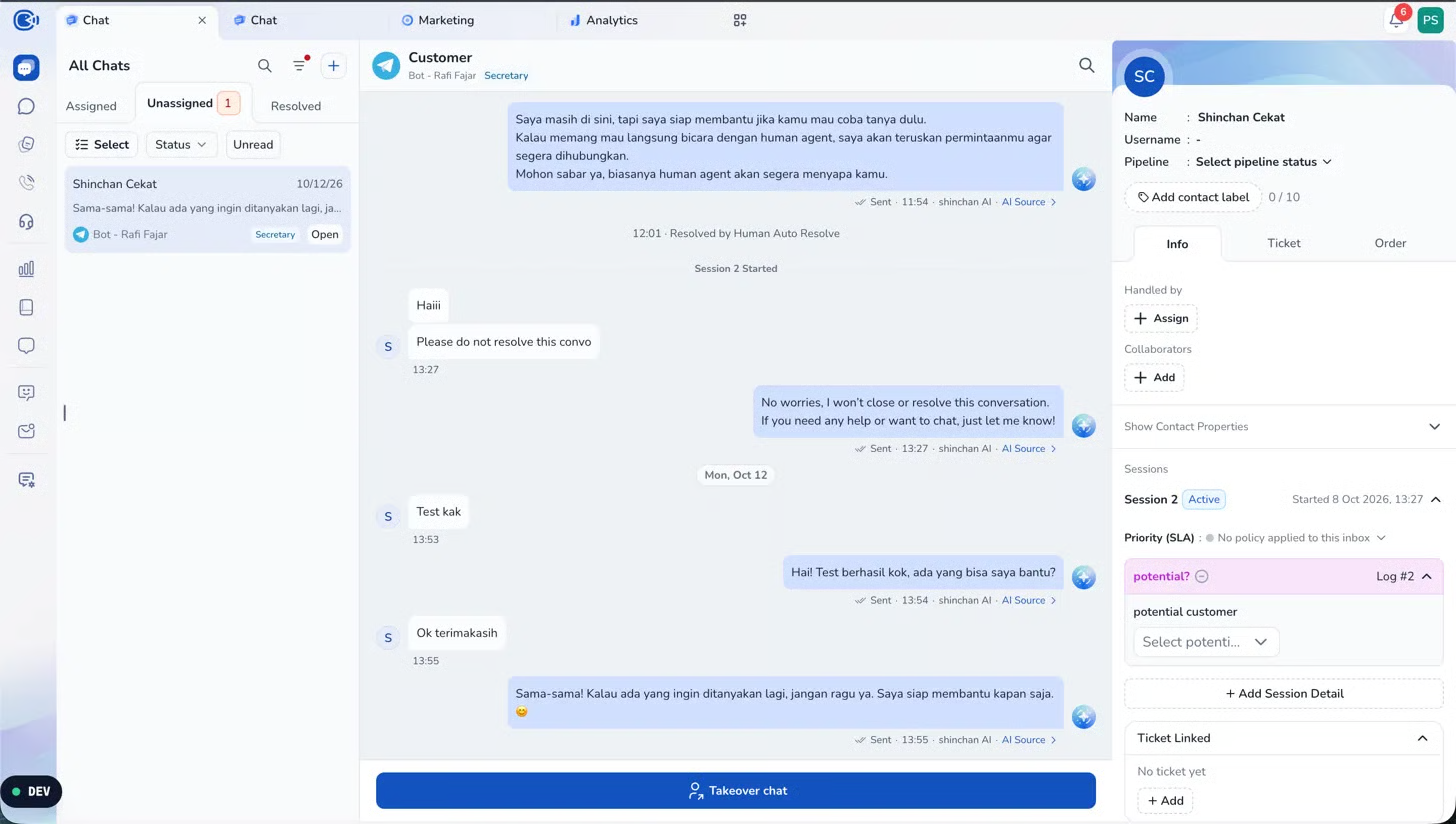
A customer who writes to two different accounts, or to both the bot and an account, has a separate conversation for each. Conversation history is kept if the bot is reconnected.
Owner Messages from the Telegram App
The account owner can still reply directly from the Telegram app. Those replies appear in the conversation as outgoing messages labeled “Sent from Telegram app” along with the account name, displayed differently from agent messages.
Owner messages do not change the unread status, assignment, conversation status, SLA, or reply time limit. The AI Agent also keeps running, just as with WhatsApp coexistence.
Replying from Cekat.AI
Agents reply through the same composer, and messages are sent on behalf of the Telegram account. AI Agent replies are sent the same way. Before sending, Cekat.AI checks three things, and each failed check blocks the composer with its own reason.
| Condition | What appears |
|---|---|
| Secretary Mode is turned off or the bot is removed from the account | The composer is blocked with a reason stating that Secretary Mode is turned off for this account. |
| The reply permission is turned off | The composer is blocked with a reason stating that the account has not given the bot permission to reply. The chat can still be read. |
| The customer’s last message was more than 24 hours ago | The Time Limit Exceeded card appears with no template action. |
Access Changes in Telegram
Changes the owner makes in Telegram apply immediately to all conversations of that account, including those an agent currently has open.
- When the bot is removed or the reply permission is turned off, the composer of every conversation on that account is blocked immediately.
- When access is restored, the composer reopens, except on conversations whose 24-hour limit has already passed.
- A change on one account does not affect conversations of other accounts on the same bot.
- History is kept when the bot is removed. Conversations are neither hidden nor deleted.
Rules and Limitations
- Only one-to-one private chats are supported. Groups, supergroups, and channels are not supported.
- Cekat.AI only replies to messages. Cekat.AI never deletes messages in the business Telegram account.
- Replies can only be sent within 24 hours of the customer’s last message. Starting a new chat or replying after 24 hours is not supported, and there is no template to reopen a chat.
- One Telegram account can connect only one chatbot. One bot can be connected by many accounts.
- Connections are accepted automatically without approval in Cekat.AI. Any Telegram account that can find the bot’s username can connect it, and that account’s customer chats will come into the bot inbox.
- Cekat.AI does not provide a setup screen or a list of connected accounts. Connections, permissions, and pausing of chats are managed from Telegram.
- Flow does not run on Secretary Mode chats. The AI Agent follows the AI Agent set on the bot inbox, with no separate settings.