Orders Page
Orders Page
此页面暂无中文版本。显示默认语言(English)。
Orders Page
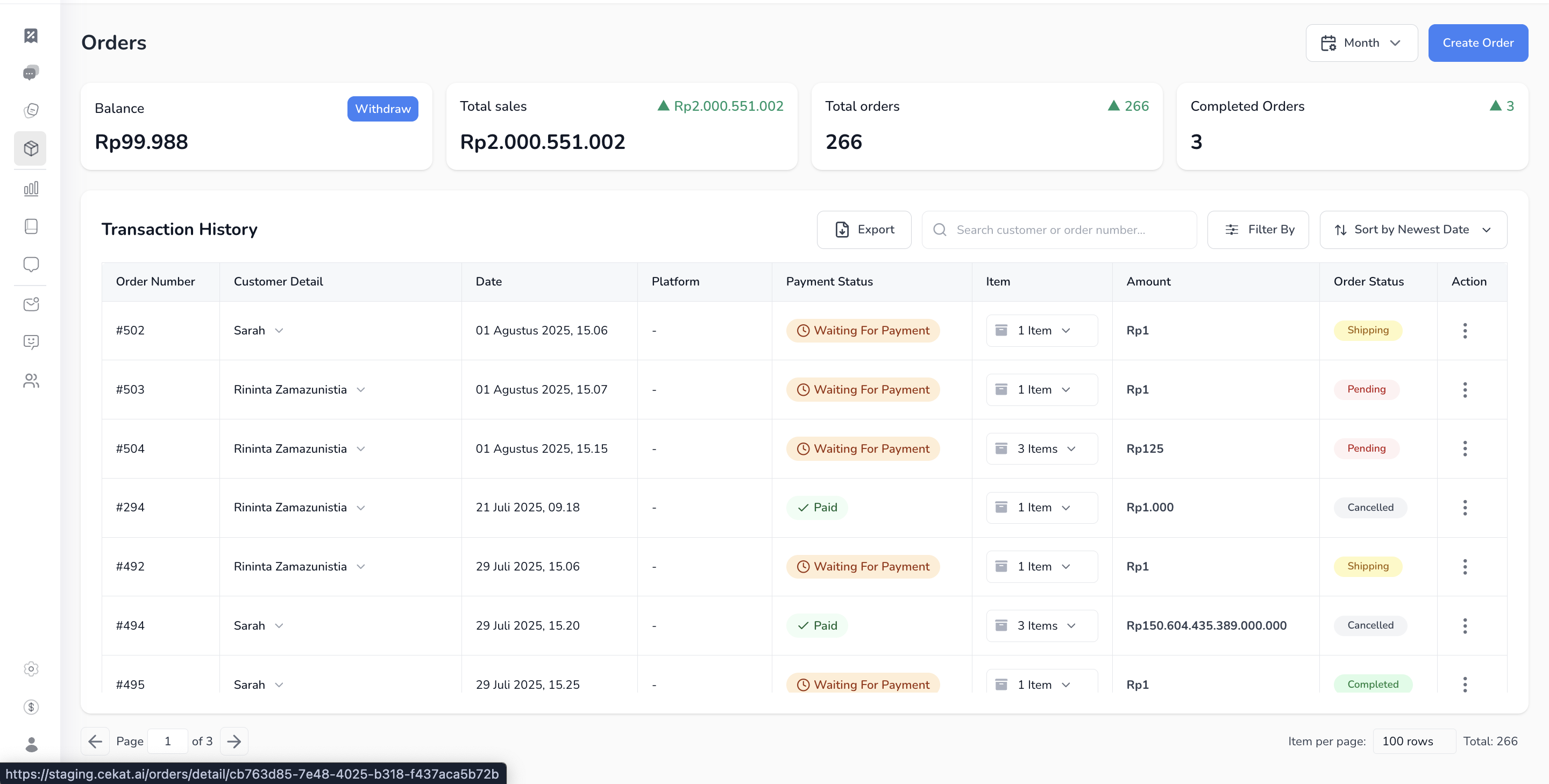
This page shows the list of transactions (order list), the balance you can withdraw, and simple sales statistics based on successful payments.
- Go to the Orders page
- Click the Balance tab at the top of the navbar.
- Elements on the Order page
- Balance: the total balance that can be withdrawn. The balance only increases from payments made through a Xendit payment link that has been successfully verified.
- Simple Analytics:
- Total Sales: the total of all successful payments in a given period
- Total Orders: the total number of orders ever created
- Completed Orders: the number of orders that are completed
- Transaction History : a list of all orders you’ve created, along with their status and data details.
- Order Number: the unique ID of each order
- Customer Detail: the customer’s name and contact number
- Date: when the order was created
- Platform: the platform the order came from (if the order was created through a conversation)
- Payment Status: payment status such as Waiting for Payment, Paid, pending
- Item: the number of items in the order
- Amount: the total order amount
- Order Status: status such as Pending, Completed, Shipping, Cancelled
- Action: more options to view details or edit
- Additional functions in Transaction History
Search: search by customer name or order number
Filter: filter by status, date, and more
Sort: sort data by newest, oldest, and so on
Export: 3 options are available:
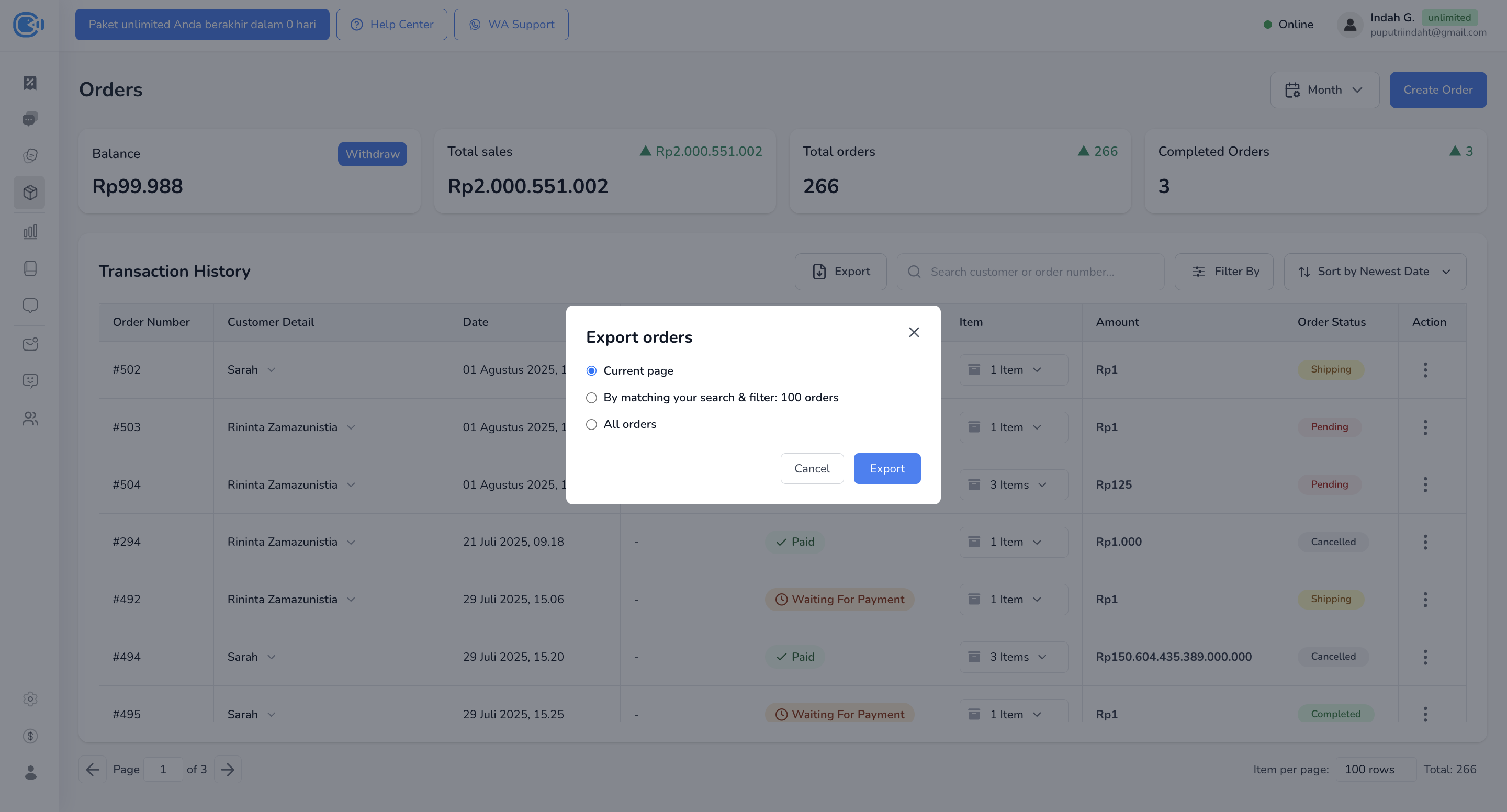
- Current Page: export only what’s shown on the page
- By Matching Search & Filter: export the active search/filter results
- All Orders: export all order data