Broadcast Template Authentication (OTP)
Broadcast Template Authentication (OTP)
此页面暂无中文版本。显示默认语言(English)。
Broadcast Template Authentication (OTP)
If you offer login, account verification, or OTP code delivery through WhatsApp, you must use an authentication template. This template is provided specifically by WhatsApp to make sure the verification process is secure and efficient.

What is an Authentication Template?
An authentication template is a type of template message used to send a one-time verification code (OTP) to users. It comes with a copy code button, which lets users copy the verification code with a single tap.
How to Use an Authentication Template
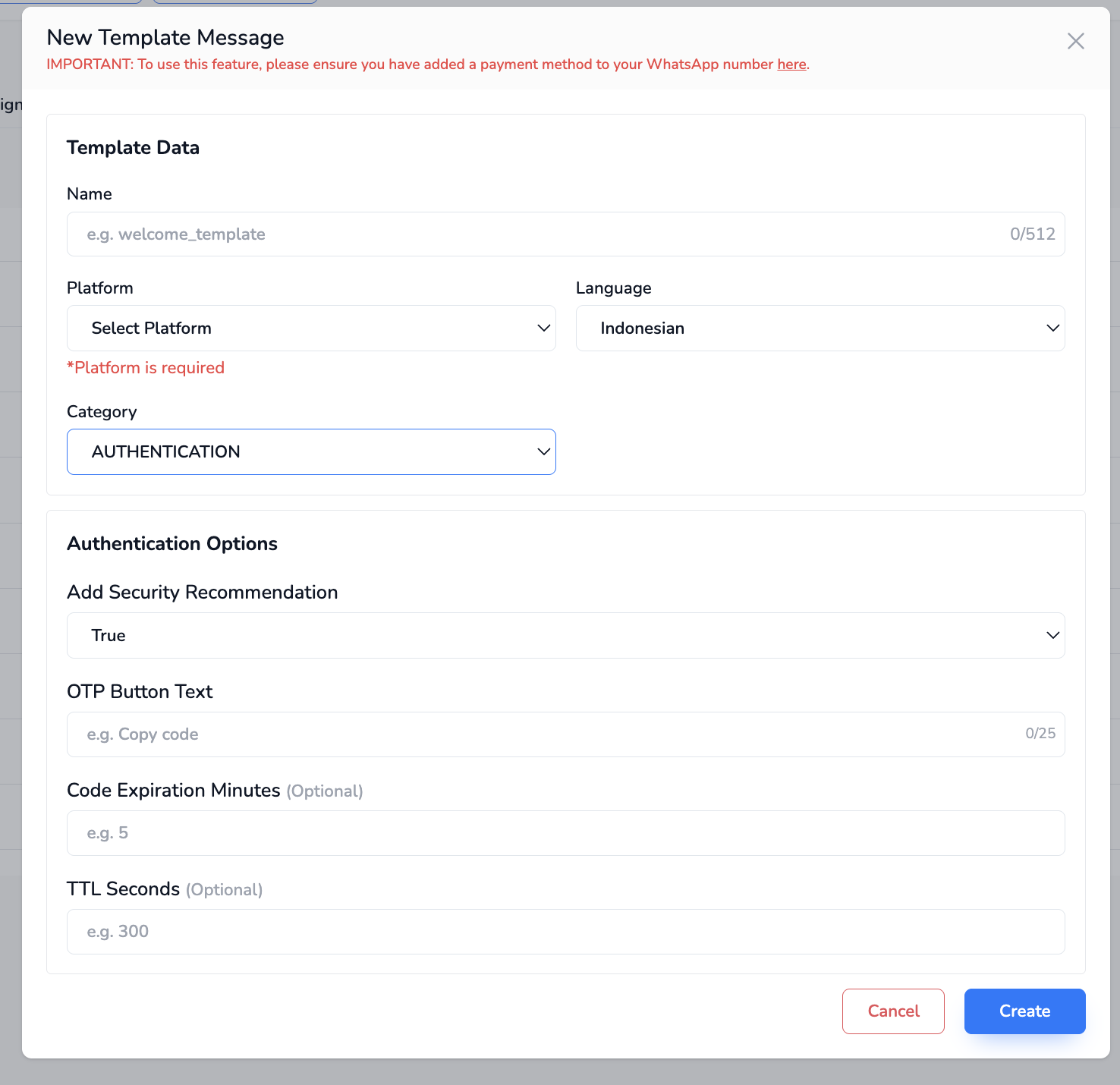
A. Creating an Authentication Template
- Go to the Broadcast Page
- Open the Broadcast menu, then select the Template tab.
- Create a New Template
- Click the Add Template button to create a new template.
- Fill in the Template Data Fields
- Fill in the data as usual (template name, language, and so on).
- Under Category, select Authentication.
- Set the Authentication Options
- Add Security Recommendation:
If enabled (true), it adds a sentence such as: “For your security, do not share this code.” - OTP Button Text:
The text on the copy OTP button, for example: “Copy OTP” - Code Expiration Minutes (Optional):
How long the OTP is valid. If left empty, no expiration information is shown. - TTL Seconds (Optional):
Time-to-live in seconds, which you can set as needed.
- Add Security Recommendation:
B. Sending an Authentication Template (API)
The template can be used through an API tool such as Postman, Curl, or similar platforms with the POST method.
- Endpoint URL:
https://api.cekat.ai/templates/send - Request Body:
jsonCopyEdit{
  "wa_template_id": "",
  "template_body_variables": [],
  "otp_code": "552345",
  "inbox_id": "",
  "phone_number": "",
  "phone_name": ""
}
Parameter Descriptions:
- wa_template_id: The ID of the template you created. You can see it on the template detail page.
- template_body_variables: Fill this in if your template uses variables in the body.
- otp_code: The OTP code you want to send (maximum 15 characters).
- inbox_id: The ID of the WhatsApp inbox used to send the message. You can get it through the GET inbox endpoint.
- phone_number: The destination phone number.
- phone_name: The name associated with that number (optional, for display/log purposes).