> For the complete documentation index, see [llms.txt](https://docs.cekat.ai/llms.txt). Markdown versions of documentation pages are available by appending `.md` to page URLs; this page is available as [Markdown](https://docs.cekat.ai/en/order/orders-page.md).
# Orders Page
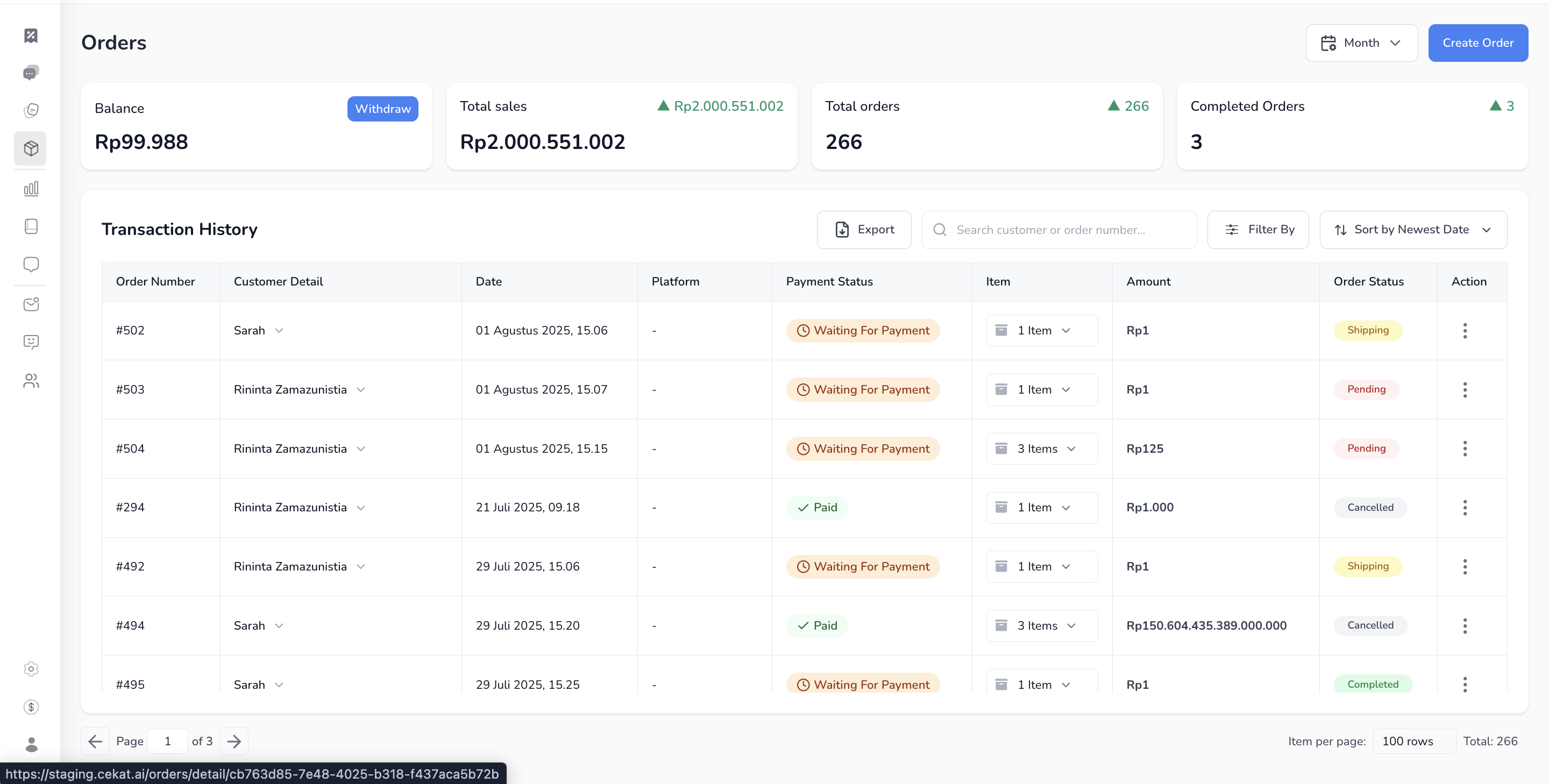
This page shows your list of transactions (order list), the balance you can withdraw, and simple sales stats based on successful payments.
1. **Open the Orders page**
* Click the **Balance** tab at the top of the navbar.
2. **What's on the Orders page**
* **Balance**: the total amount you can withdraw. Your balance only grows from **Xendit payment link** payments that have been verified.
* **Simple analytics**:
* **Total Sales**: the total of all successful payments in a given period
* **Total Orders**: the total number of orders ever created
* **Completed Orders**: the number of orders that are finished
3. **Transaction History:** a list of every order you've created, with its status and details.
* **Order Number**: each order's unique ID
* **Customer Detail**: the customer's name and contact number
* **Date**: when the order was created
* **Platform**: where the order came from (if it was created from a conversation)
* **Payment Status**: such as *Waiting for Payment*, *Paid* or *Pending*
* **Item**: the number of items in the order
* **Amount**: the order total
* **Order Status**: such as *Pending*, *Completed*, *Shipping* or *Cancelled*
* **Action**: more options to view details or edit
4. **Extra tools in Transaction History**
* **Search**: search by customer name or order number
* **Filter**: filter by status, date and more
* **Sort**: sort by newest, oldest and so on
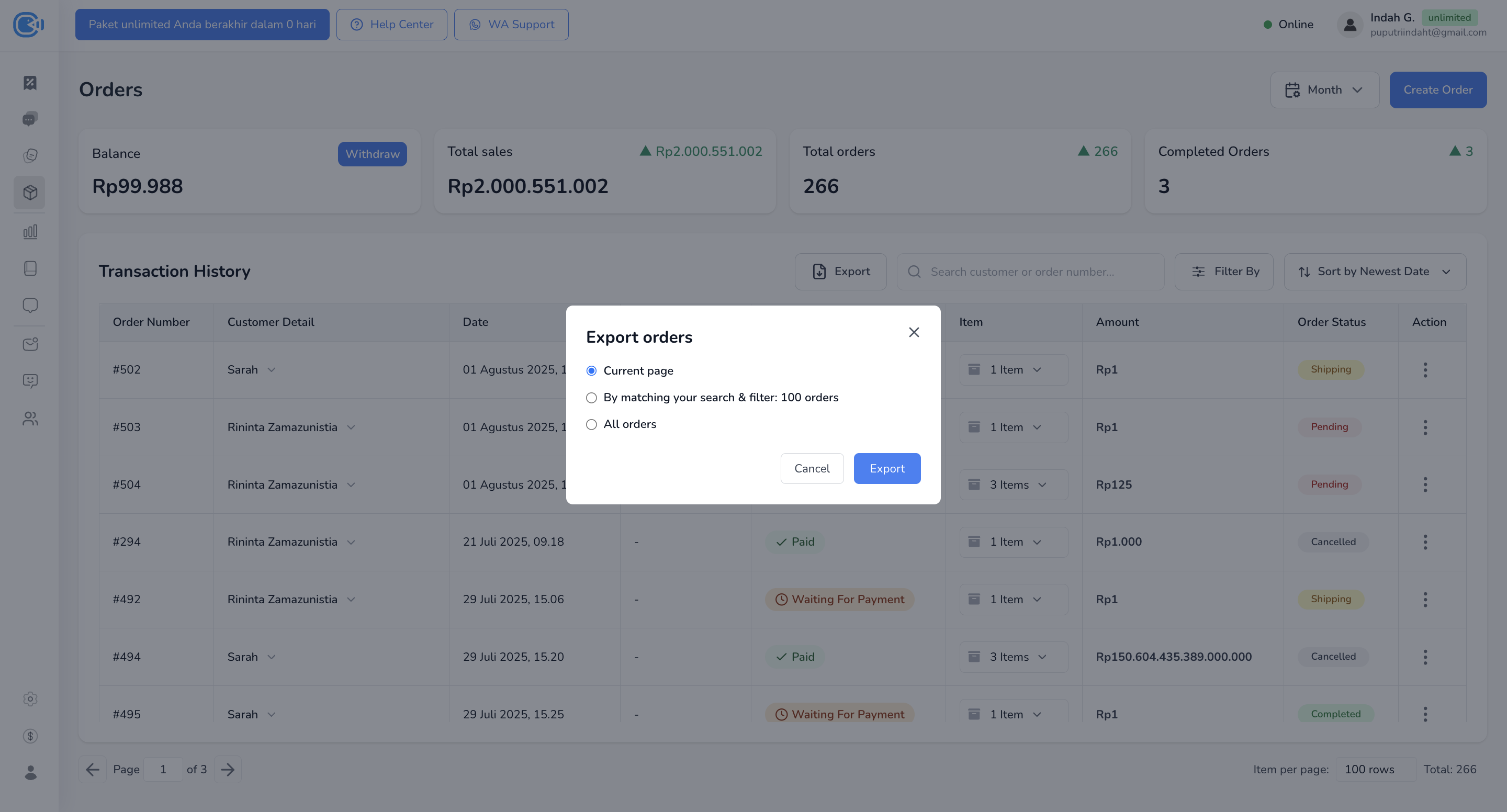
* **Export**: three options are available:
* *Current Page*: export only what's shown on the page
* *By Matching Search & Filter*: export the results of your current search or filter
* *All Orders*: export all your order data