> For the complete documentation index, see [llms.txt](https://docs.cekat.ai/llms.txt). Markdown versions of documentation pages are available by appending `.md` to page URLs; this page is available as [Markdown](https://docs.cekat.ai/en/marketing-legacy/ads.md).
# Ads
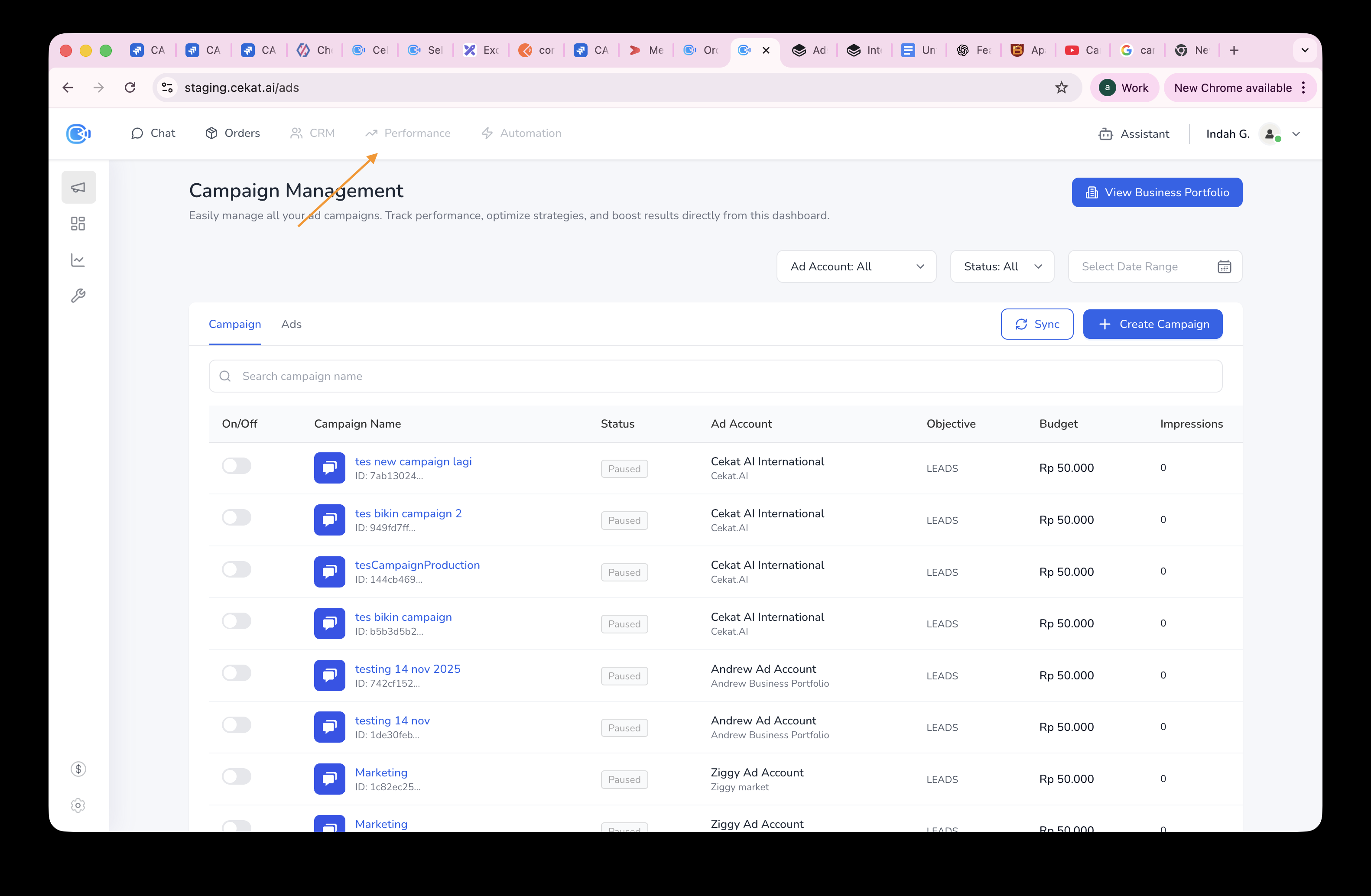
Campaign Management / Ads Management lets you manage your ads (usually Facebook and Instagram ads) right inside the platform, without opening Meta Ads Manager. Its main job is to make it easier to monitor, manage and optimize your ads from a single dashboard.
## How to open Campaign Management / Ads Management:
{% stepper %}
{% step %}
### Click "Performance" in the header bar
{% endstep %}
{% step %}
### Click "Ads" in the sidebar
{% endstep %}
{% endstepper %}
What you'll find on the Campaign Management page:
* View Business Portfolio button
* Ad Account
* Status filter
* Date filter
* Sync button
* Create Campaign button
* Campaign tab
* Ads tab
* Search field
* Campaign list
What you'll find on the Ads Management page:
* View Business Portfolio button
* Ad Account
* Status filter
* Date filter
* Sync button
* Create Campaign button
* Campaign tab
* Ads tab
* Search field
* Ads list
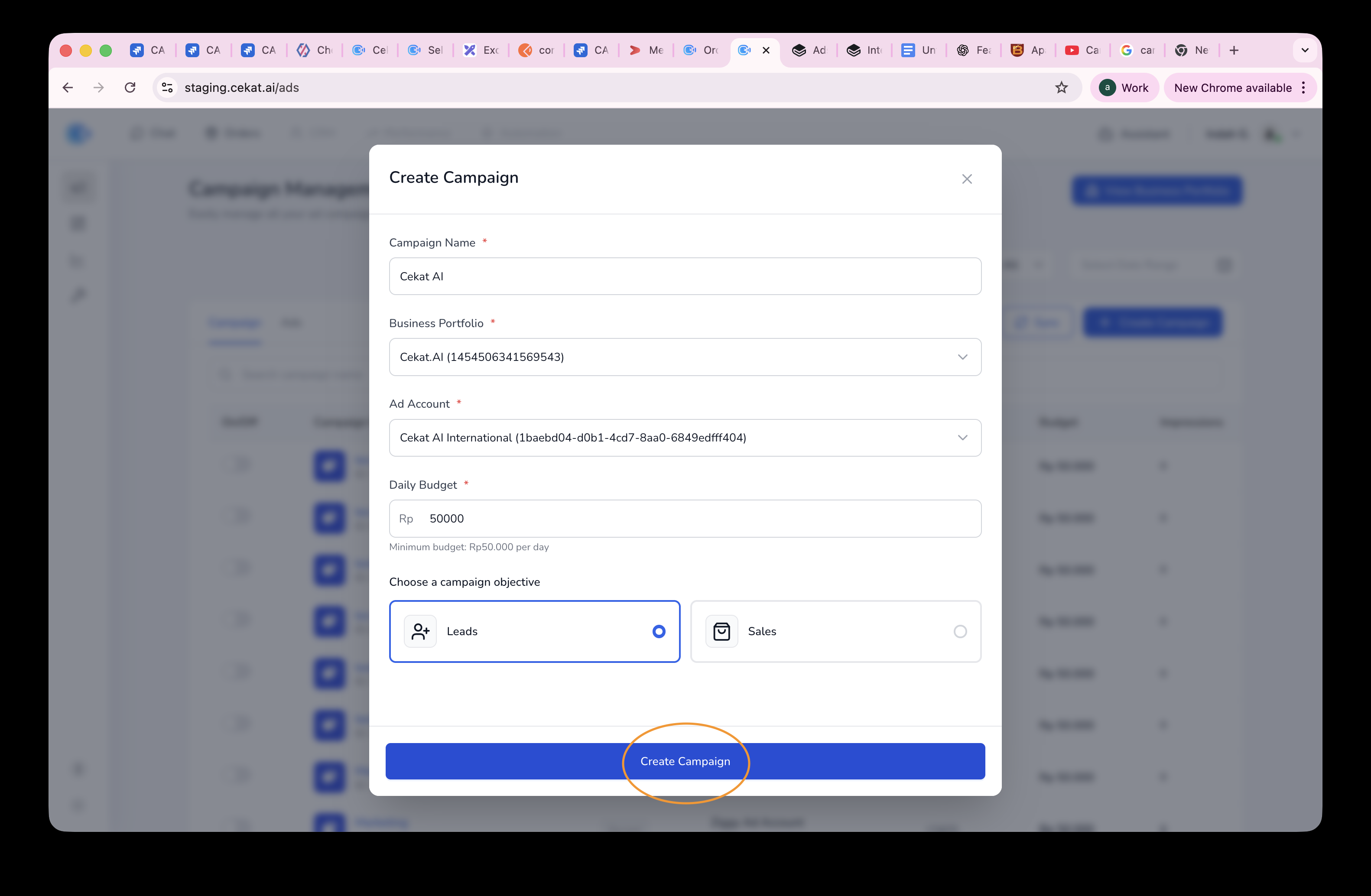
## **How to create a campaign:**
{% stepper %}
{% step %}
### Click Create Campaign
{% endstep %}
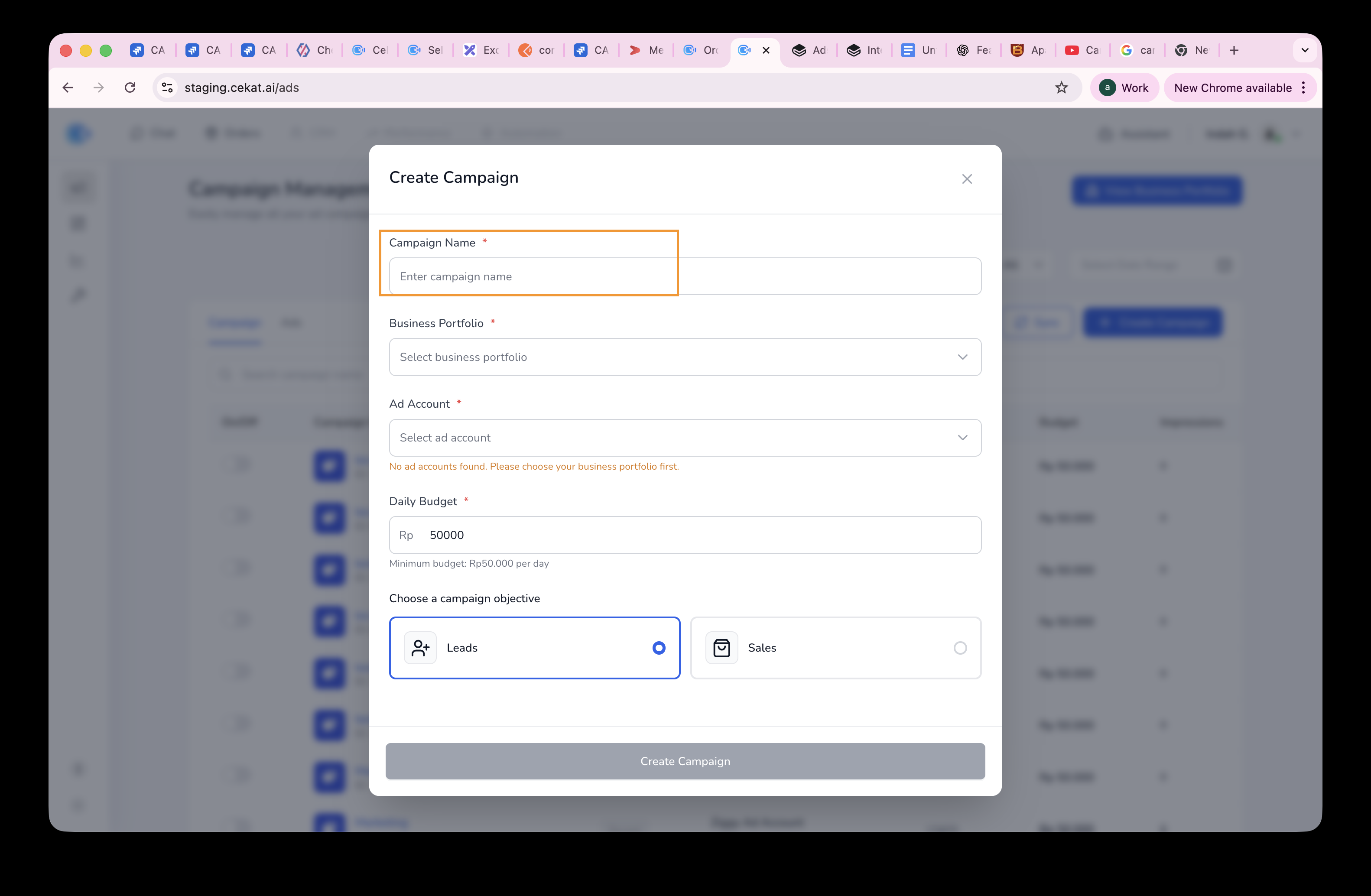
{% step %}
### Enter a Campaign Name
{% endstep %}
{% step %}
### Choose a Business Portfolio
{% endstep %}
{% step %}
### Choose an Ad Account
{% endstep %}
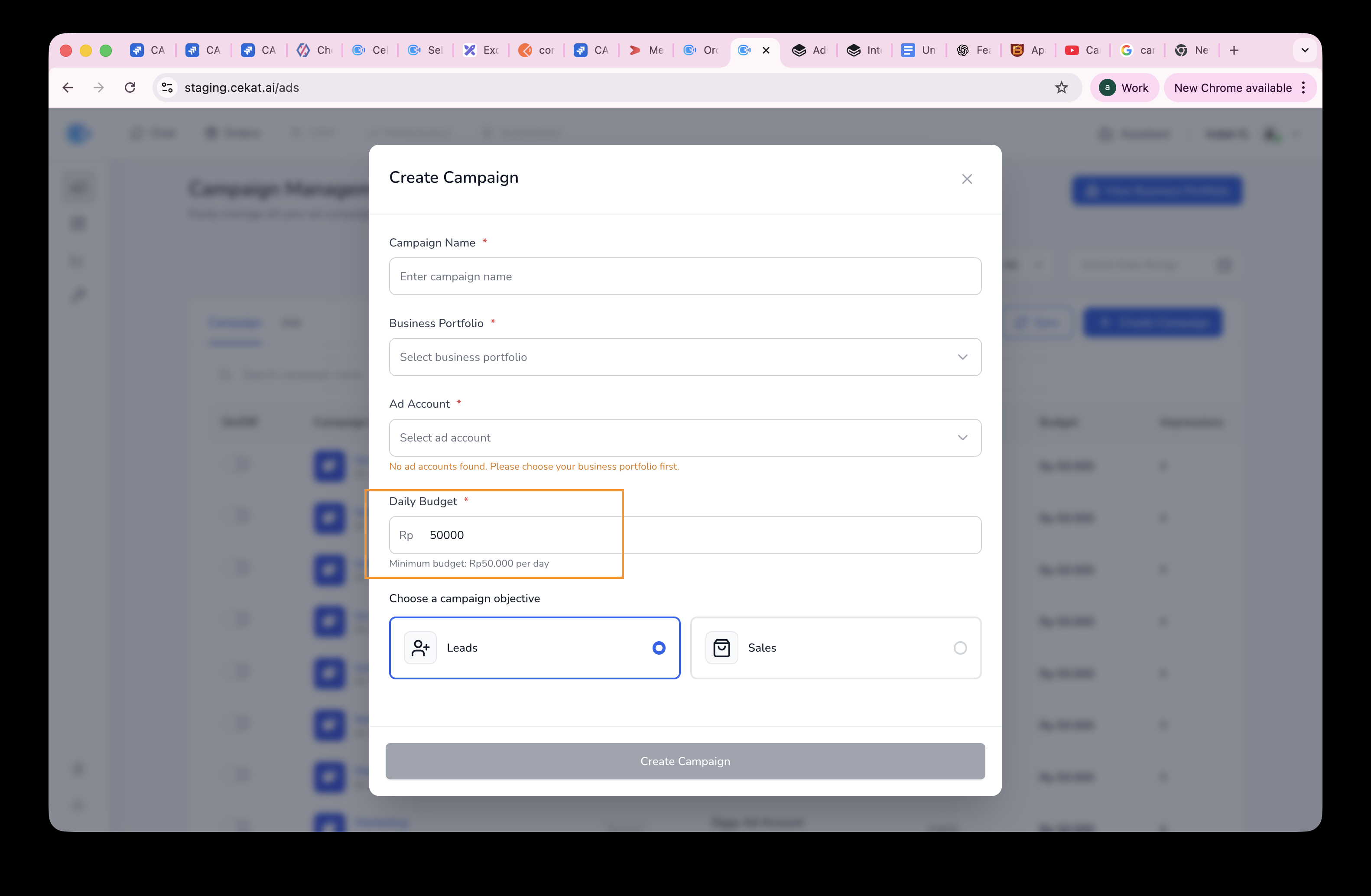
{% step %}
### Enter a Daily Budget
The minimum budget is Rp50,000 per day.
{% endstep %}
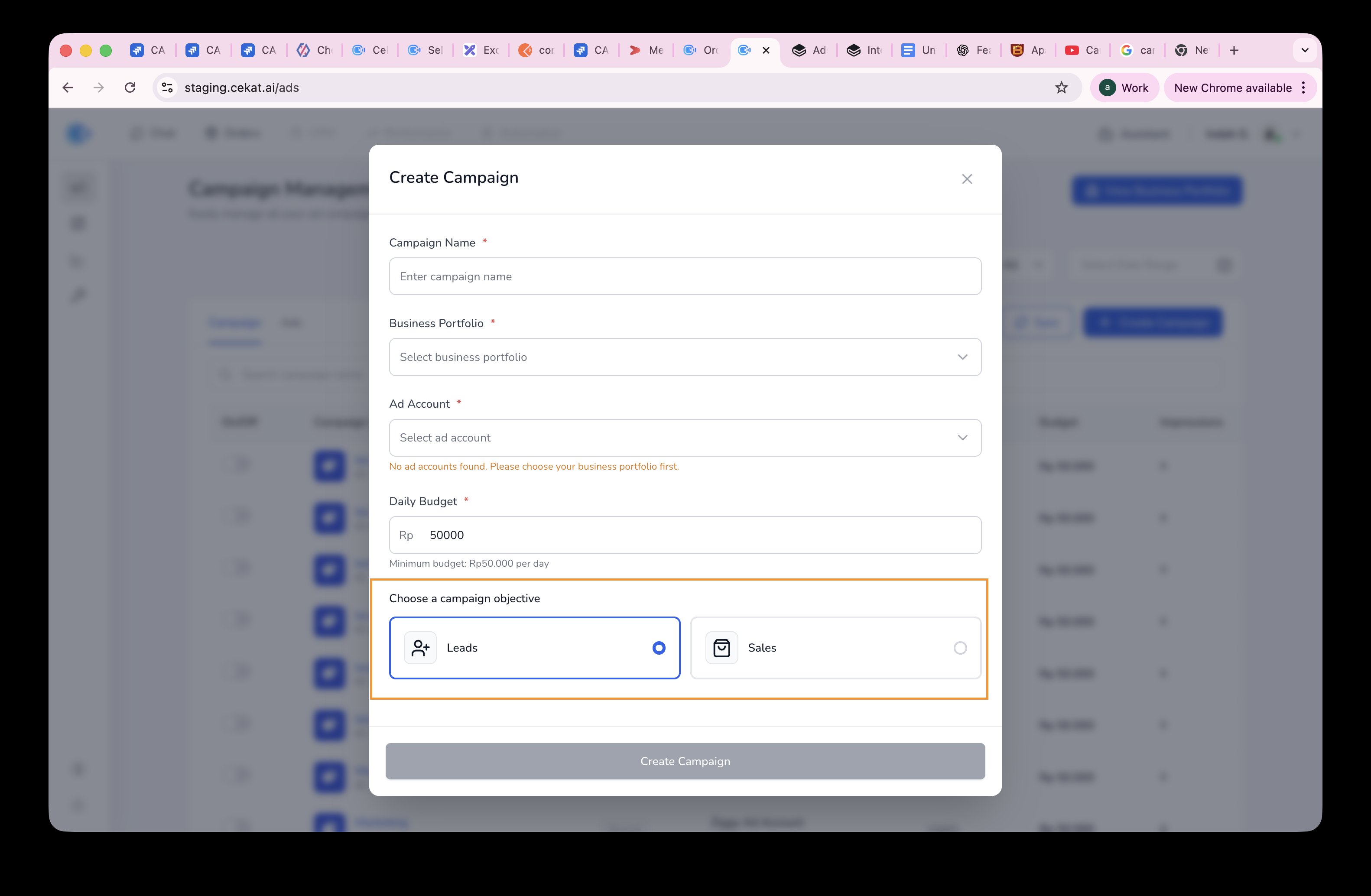
{% step %}
### Choose a campaign objective
There are 2 campaign objectives: Leads and Sales.
{% endstep %}
{% step %}
### Click Create Campaign
The Create Campaign button has 4 states:
* **Enabled** once you've added a prompt
* **Enabled** when you change the prompt
* **Disabled** if you haven't added a prompt
* **Disabled** if the prompt hasn't changed
{% endstep %}
{% step %}
### You'll land on Campaign Configuration
{% endstep %}
{% step %}
### Choose a Page
This is the Facebook Page you registered during embedded sign-up.
{% endstep %}
{% step %}
### Enter an Ad Set Name
The Ad Set Name can be up to 100 characters.
{% endstep %}
{% step %}
### Enter the age
The minimum age for a campaign is 21.
{% endstep %}
{% step %}
### Choose a gender
There are 3 options: Male, Female or both. This is the gender of your target audience.
{% endstep %}
{% step %}
### Choose the ad media type
There are 2 media types: Image and Video.
{% endstep %}
{% step %}
### Enter a Headline
The Headline can be up to 40 characters. We recommend 30 characters or fewer.
{% endstep %}
{% step %}
### Enter a Description
The Description can be up to 90 characters. We recommend 70 characters or fewer.
{% endstep %}
{% step %}
### Upload an image
Images must be in JPG, JPEG or PNG format.
{% endstep %}
{% step %}
### Enter a Message
The Message can be up to 2,200 characters. We recommend 125 characters or fewer.
{% endstep %}
{% step %}
### Enter a Link
This is the destination link you want the campaign to send people to.
{% endstep %}
{% step %}
### Choose a Call to Action button
Call to Action options are Learn More, Shop Now, Sign Up, Download, Book Travel and Get Quote.
{% endstep %}
{% step %}
### Enter an Ad Name
{% endstep %}
{% step %}
### Choose an Ad Status
There are 2 ad statuses: Paused and Active. Paused means the ad appears in Meta Ads but isn't published. Active means the ad appears in Meta Ads and is published.
{% endstep %}
{% step %}
### Click Create Complete Campaign
{% endstep %}
{% endstepper %}