> For the complete documentation index, see [llms.txt](https://docs.cekat.ai/llms.txt). Markdown versions of documentation pages are available by appending `.md` to page URLs; this page is available as [Markdown](https://docs.cekat.ai/en/chat/whatsapp-call/call-details.md).
# Call Details
**Call Details** shows everything about a WhatsApp voice call once it's finished. It makes it easy for agents to look back over the call, as a text transcript or an audio recording, and it includes an automatic summary of the conversation.
#### 1. How to open Call Details
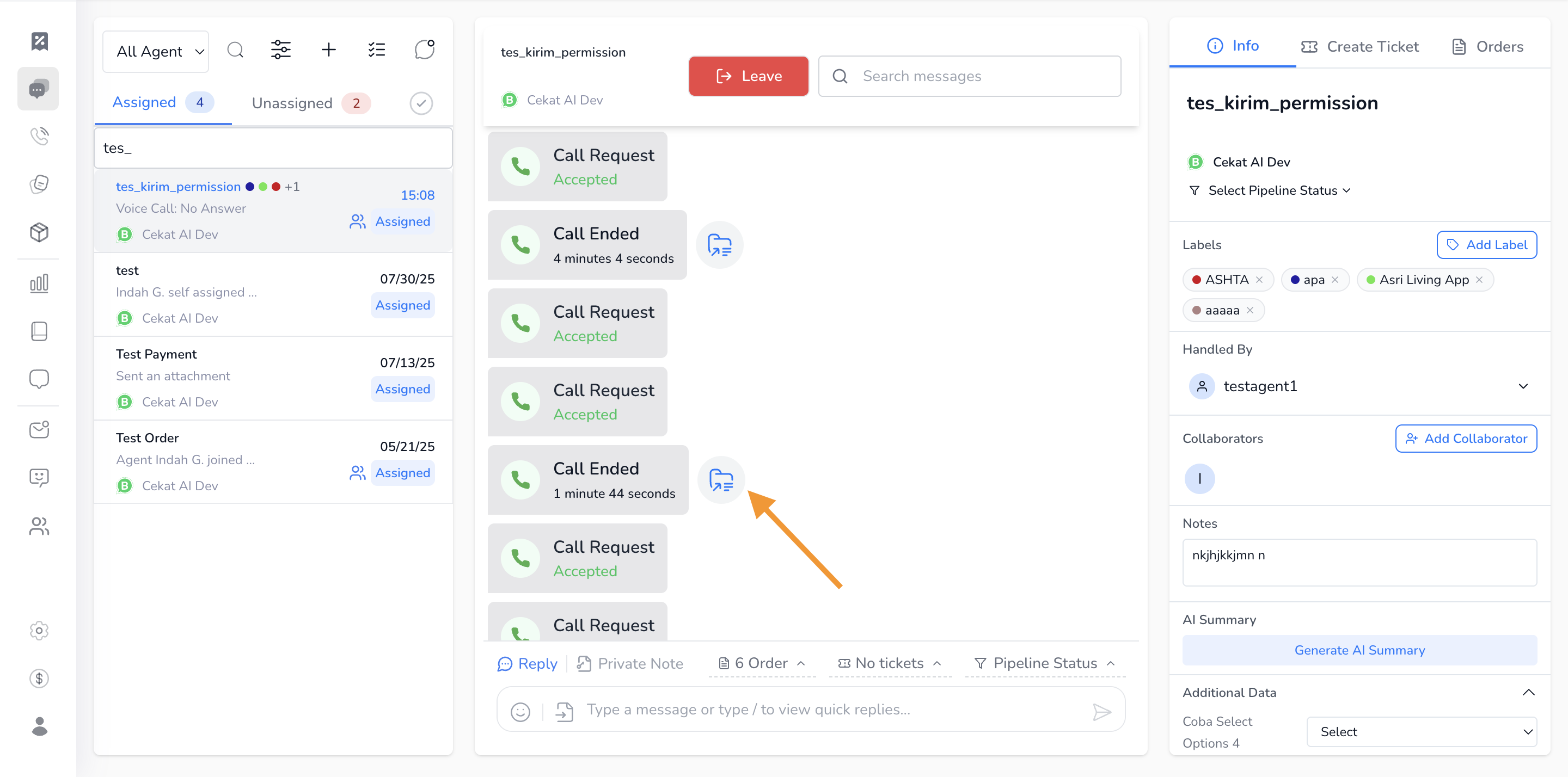
* When a call ends, a "Call Ended" message appears in the chat.
* Click the **file** icon next to that message to open Call Details.
#### 2. What you'll see
* **Transcript**\
An automatic transcript of the conversation during the call.
* **Recording**\
The call audio, which you can play right on this page.
* **Summary**\
A summary of the conversation, generated automatically by the system.
* **Download**
* A button to download the audio recording.
* A button to download the conversation transcript.