> For the complete documentation index, see [llms.txt](https://docs.cekat.ai/llms.txt). Markdown versions of documentation pages are available by appending `.md` to page URLs; this page is available as [Markdown](https://docs.cekat.ai/en/chat/whatsapp-call.md).
# WhatsApp Call
WhatsApp Call lets your business receive and make WhatsApp voice calls straight from Cekat AI, on both web and mobile. It means you can talk with customers by voice as well as chat, giving them a better experience and getting things sorted faster.
### WhatsApp Call features
#### Customer-initiated calls
When a customer calls through WhatsApp while the AI is still handling their conversation, the system looks for an available agent and sends a **User Initiated Call** notification. The agent who gets the notification can answer straight away and talk to the customer through the call window in Cekat, or from their mobile phone. During the call, the agent can manage the conversation, **mute**, or end the call as needed. If no agents are online, the system automatically picks a **Super Agent** to take the call.
#### Business-initiated calls
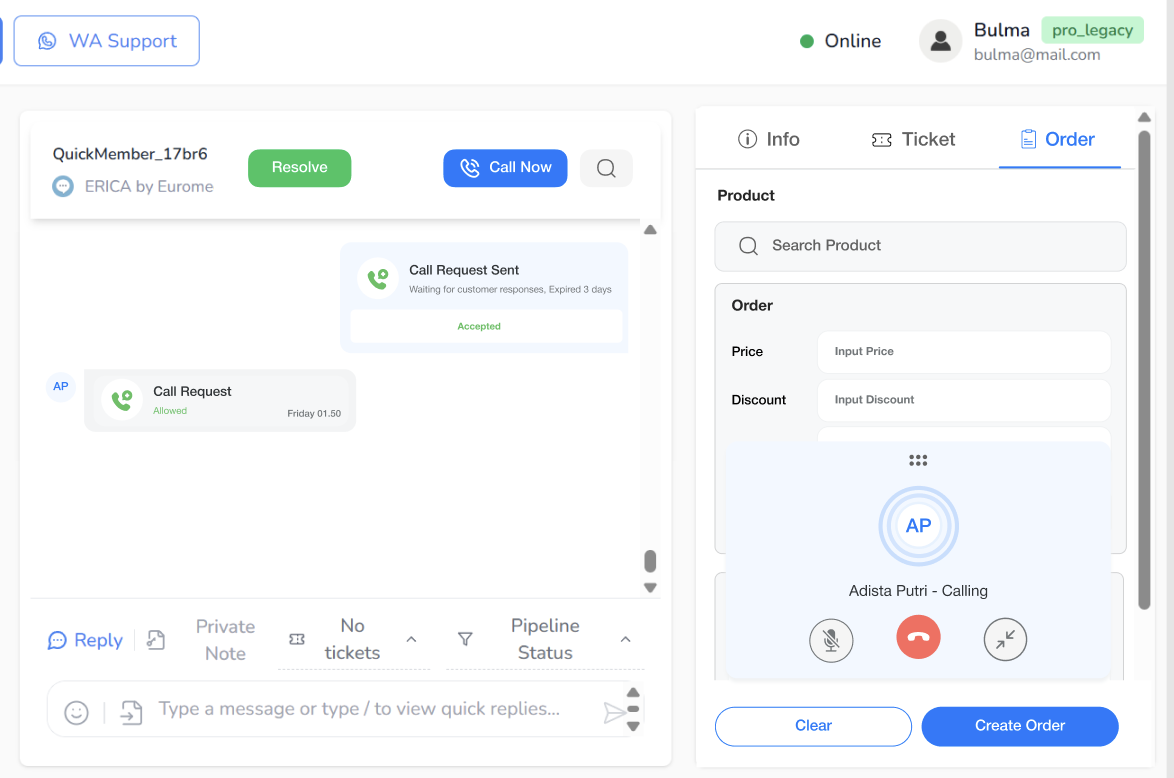
Agents can call a customer after first sending a **permission request**. Once the customer accepts, the agent can call straight away from web or mobile. Throughout the call, the agent stays fully in control: they can manage the conversation, **mute the microphone** or **end the call** at any time.
#### Managing a connected call
During a call, agents can do the following right from the call window:
* See the call duration in real time
* Use **mute/unmute** to control the audio
* End the call when needed
This keeps agents fully in control of the conversation throughout the call, on web or mobile.