> For the complete documentation index, see [llms.txt](https://docs.cekat.ai/llms.txt). Markdown versions of documentation pages are available by appending `.md` to page URLs; this page is available as [Markdown](https://docs.cekat.ai/docs/ai-and-platform/connected-platforms/whatsapp-inbox-new-number.md).
# Whatsapp Inbox (New Number)
### **Langkah-langkah Menghubungkan WhatsApp Inbox**
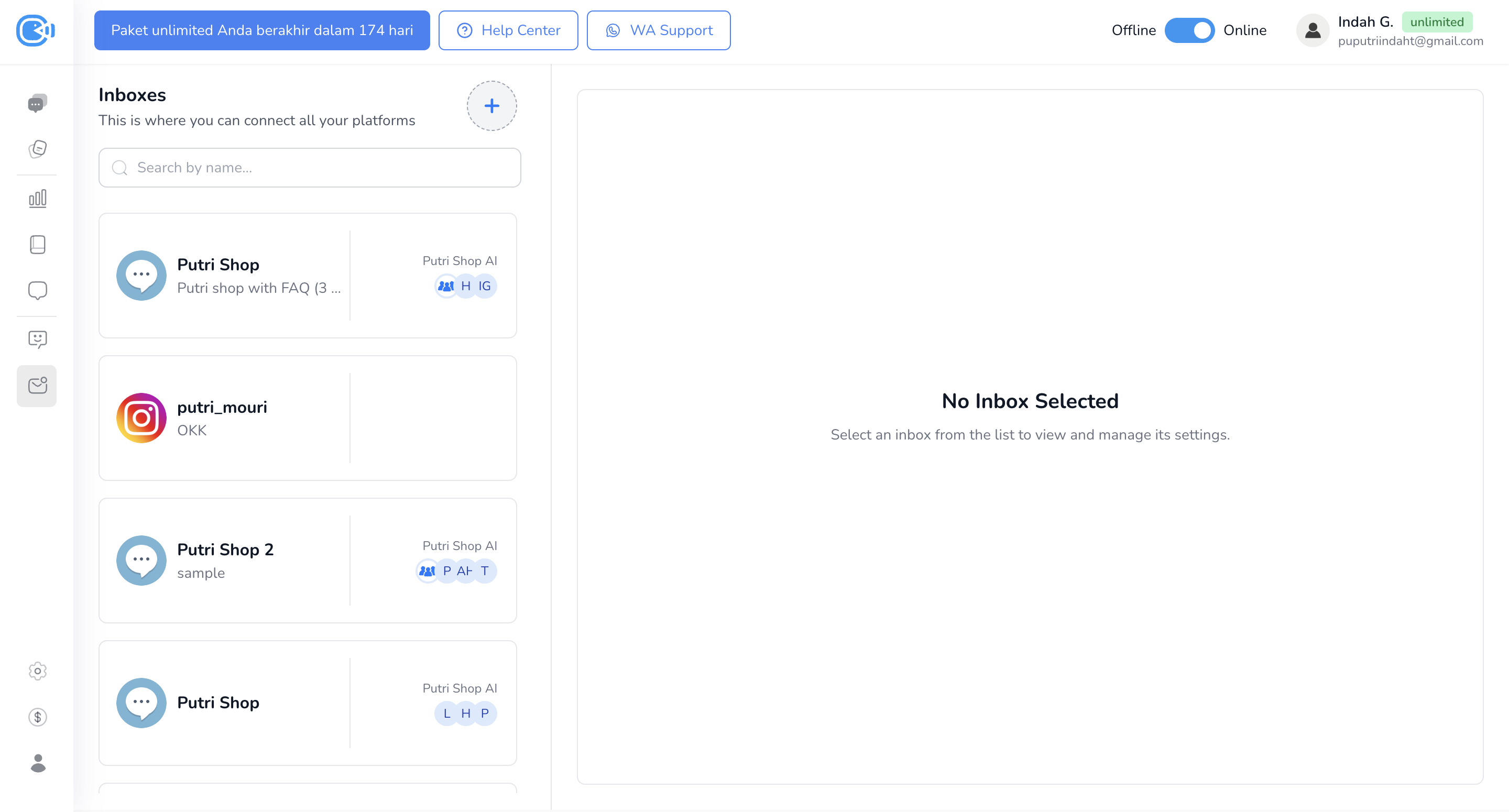
1. Masuk ke Halaman Connect Platform
* Akses halaman **Connect Platform** melalui **navbar** atau melalui **menu Setting**.
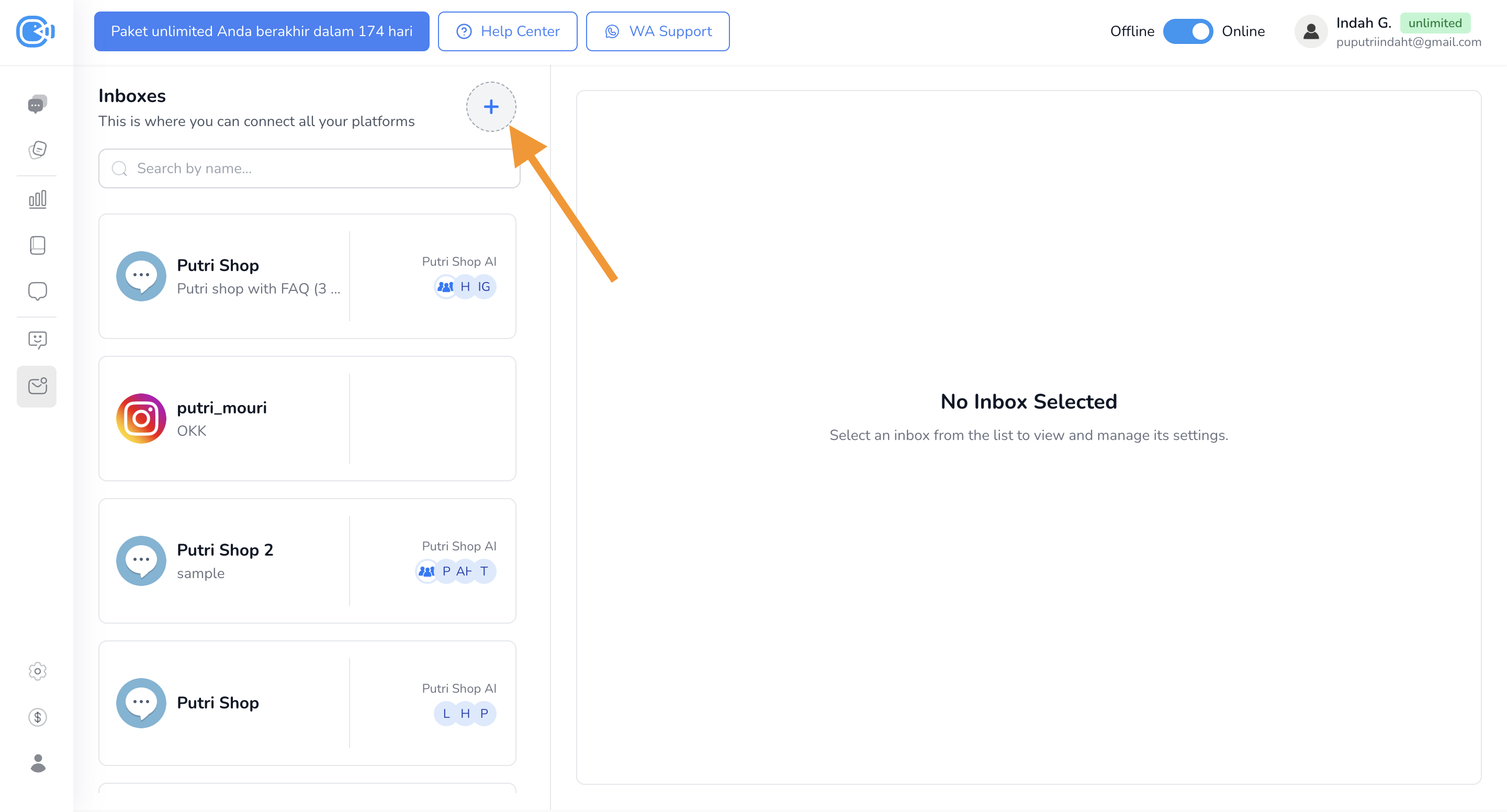
2. Klik Tombol Plus untuk Menambahkan Inbox/Platform Baru
* Klik tombol **"+"** yang berada di sebelah kanan tulisan **Inboxes** untuk menambahkan inbox atau platform baru.
####
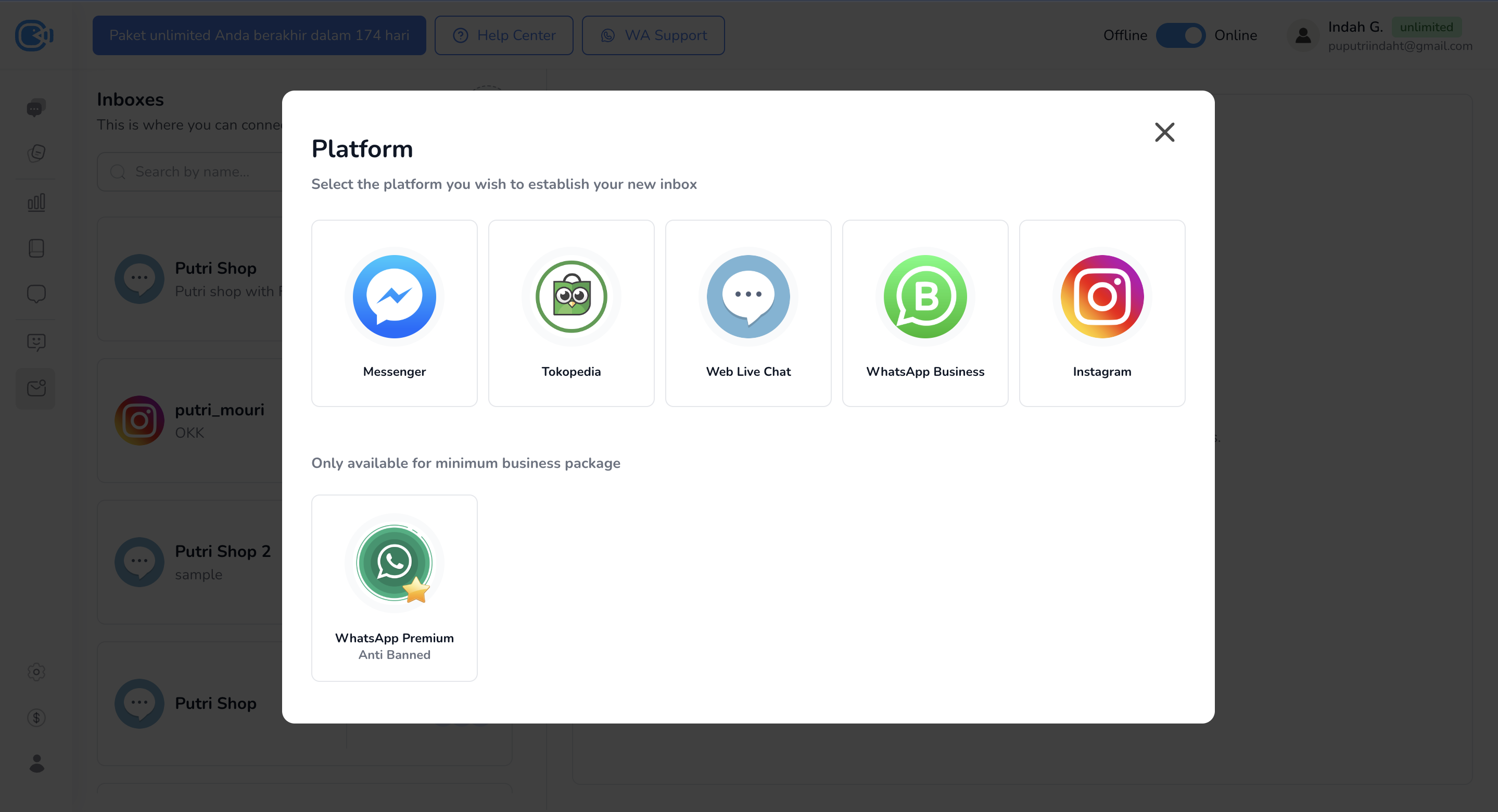
3. **Pilih WhatsApp Business**
* Pilih opsi **WhatsApp Business**.
4. **Login ke Meta/Facebook**
* Masuk dengan akun Meta atau Facebook Anda.
5. **Buat Business Portfolio**
* Jika belum memiliki portfolio, isi informasi berikut:
* Nama Bisnis
* Website Bisnis
* Negara
* Klik **Lanjutkan**.
6. **Hubungkan Akun WhatsApp Business**
* Jika sudah memiliki akun, pilih akun tersebut.
* Jika belum, pilih **Buat Akun WhatsApp Business Baru** dan **Buat Profil Bisnis Baru**.
7. **Isi Profil Bisnis**
* Masukkan **Nama Akun WhatsApp Business**.
* Tentukan Display name (yang akan dilihat customer).
* Pilih **Kategori Bisnis**.
8. **Tambahkan Nomor Telepon**
* Pada page "Choose how you would like to onboard with Cekat Development."
* Pilih "Start with a new phone number."
* Masukkan nomor telepon baru yang belum pernah terdaftar ke WhatsApp Business.
9. **Verifikasi dengan Kode OTP**
* Masukkan kode OTP yang dikirim ke nomor telepon Anda.
10. **Selesaikan Setup**
* Klik **Lanjutkan**, lalu **Selesai**.
11. **Cek WhatsApp Inbox**
* Kembali ke **Conneced Platform**, Anda akan melihat WhatsApp Inbox yang baru dibuat.
* Klik inbox tersebut untuk mengatur fitur seperti AI Agent, Metode Distribusi, Divisi, dan human agent.
#### Jika masih ada yang kurang jelas, tonton video tutorial berikut untuk melihat langkah-langkahnya secara langsung.
{% embed url="" %}